Build a Budget Gaming PC: Smooth Performance for Modern Games
admin
3 weeks ago

Let’s be real: the idea of building a powerful gaming PC often conjures images of depleted bank accounts and high-end components that cost more than a used car. But what if I told you that building a budget gaming PC capable of running modern games smoothly isn’t just a pipe dream? With a decade under my belt covering everything from Silicon Valley’s bleeding edge to global gadget trends, I’ve seen firsthand how shrewd decisions and smart shopping can deliver an incredible gaming experience without breaking the bank. This guide is your blueprint to crafting an exceptional budget gaming PC that doesn’t compromise on performance where it truly counts. (See also: Nintendo Switch 2 Review: Is the Upgrade Worth It for Gamers?)
📋 Table of Contents
Demystifying the Budget Gaming PC: Smart Choices, Not Sacrifices
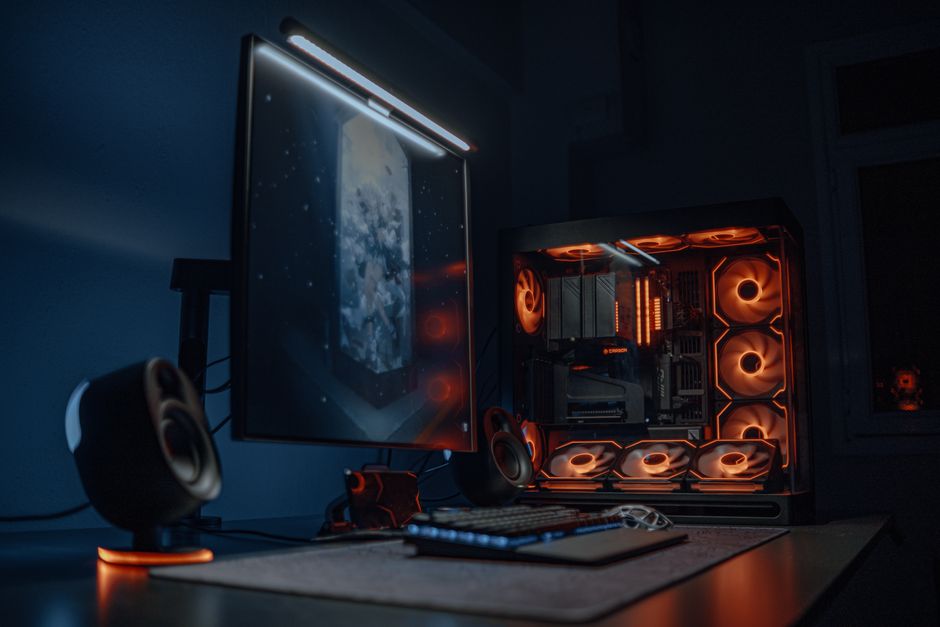
The core philosophy behind a successful budget gaming PC isn’t about cutting corners; it’s about optimizing value. It’s about understanding which components deliver the most performance per dollar and where you can comfortably scale back without impacting your gameplay experience. Our goal here is clear: hit that sweet spot of 1080p resolution at a smooth 60 frames per second (fps) in most modern titles, with potential for higher refresh rates or settings in slightly older games.
Forget the notion that you need the absolute latest and greatest. The tech market is awash with excellent previous-generation components or current-gen mid-range options that offer incredible bang for your buck. My experience has taught me that patience and research are your most powerful allies in this endeavor.
The Core Trinity: GPU, CPU, and RAM
These three components are the beating heart of any gaming machine, and they demand the majority of your budget and attention. Prioritizing correctly here is paramount.
- The GPU (Graphics Processing Unit): Your Gaming Engine
This is, without a doubt, the single most important component for a gaming PC. If you have a limited budget, allocate the largest portion here. For 1080p gaming, look for GPUs that offer strong performance in the $200-$350 range. Current-gen entry-level cards often fall short, so I frequently recommend looking to last-gen mid-range options. GPUs like the AMD Radeon RX 6600, RX 6600 XT, or even the RX 6700 (if you can snag a deal) are phenomenal value champions. On the Nvidia side, an RTX 3050 can work, but an RTX 3060 offers significantly better performance for a reasonable step up. Always check recent benchmarks for the specific games you want to play. Pay attention to VRAM – 8GB is now the comfortable minimum for modern titles. - The CPU (Central Processing Unit): The Brain of the Operation
While vital, the CPU often doesn’t need to be top-tier for 1080p gaming, especially if your primary focus is gaming. A strong mid-range CPU will pair beautifully with your chosen GPU without bottlenecking it. Look towards Intel’s Core i5-12400F or AMD’s Ryzen 5 5600 (or even the 5600X if the price is right). These chips offer excellent multi-core performance for gaming and everyday tasks without demanding a premium. Avoid going too low-end here, as an underpowered CPU can lead to stuttering and frame drops even with a good GPU. - RAM (Random Access Memory): The Workspace
For modern gaming, 16GB of RAM is the absolute sweet spot. Anything less will lead to performance issues in many new titles. Don’t skimp here. Speed also matters; aim for DDR4 RAM at 3200MHz or 3600MHz. If you’re building on a newer platform that supports DDR5, 5200MHz-6000MHz is ideal, but DDR5 kits tend to be more expensive, making DDR4 the more affordable gaming build choice for now. Always configure your RAM in a dual-channel setup (e.g., two 8GB sticks) for optimal performance.
Beyond the Basics: Storage, Motherboard, PSU, and Case for Your Affordable Gaming Build
Once the core trinity is sorted, it’s time to select the supporting cast. These components are crucial for the overall experience and stability of your affordable gaming build.
Essential Supporting Components
- Storage: Speed is Key
An SSD (Solid State Drive) for your operating system and primary games is non-negotiable. The speed difference compared to an old-school HDD is monumental, impacting boot times, game loading, and overall system responsiveness. A 500GB NVMe M.2 SSD is a great starting point for your OS and a few key titles. If your budget allows, a 1TB NVMe drive is even better. For additional game storage or media files, a larger SATA SSD (often cheaper per GB) or even a traditional HDD can be added later. - Motherboard: The Foundation
The motherboard connects everything. Don’t overspend on features you don’t need for a budget build. Focus on compatibility with your chosen CPU (socket type), sufficient RAM slots, at least one M.2 slot for your NVMe SSD, and the necessary USB ports. For Intel 12th/13th/14th gen, a B660 or B760 chipset is usually perfect. For AMD AM4 (Ryzen 5000 series), a B550 board offers excellent value. Ensure it has decent VRMs (Voltage Regulator Modules) for stable power delivery, but you don’t need enthusiast-grade cooling for a mid-range CPU. - PSU (Power Supply Unit): The Unsung Hero
Never, ever cheap out on the PSU. A poor-quality power supply can lead to system instability, component damage, and even be a fire hazard. Calculate your estimated wattage consumption using online tools, then add a 100-150W buffer. A good quality 550W-650W unit from a reputable brand (Corsair, Seasonic, EVGA, be quiet!) with at least an 80 Plus Bronze efficiency rating should suffice for most budget builds. Gold-rated units are more efficient and often come with better warranties. - Case: Airflow Over Aesthetics (Usually)
The case is largely subjective, but don’t just pick the cheapest one. Good airflow is critical for component longevity and maintaining optimal performance. Look for a case with a mesh front panel, space for multiple fans, and good cable management options. Many budget-friendly cases from brands like Montech, Deepcool, or Lian Li (Lian Li Lancool 216 is a personal favorite for value) offer excellent airflow and build quality without breaking the bank. Size compatibility with your motherboard and GPU is also a must.
Smart Shopping Strategies for a Cheap Gaming Computer
Building a truly cheap gaming computer often comes down to timing and smart shopping. Here’s how you can save those precious dollars:
- Leverage Sales and Bundles: Black Friday, Cyber Monday, Prime Day, and even specific retailer sales events are prime opportunities to snag components at significant discounts. Keep an eye out for CPU+Motherboard or CPU+Motherboard+RAM bundles, which often provide better overall value.
- Consider Refurbished or Used Parts: This is where the biggest savings can often be found, especially for GPUs and CPUs. Sites like eBay, r/hardwareswap on Reddit, or local marketplaces can be goldmines. However, exercise caution: only buy from reputable sellers with good feedback, and always ensure there’s a return policy or seller warranty. CPUs tend to be very robust and safe to buy used, while GPUs require more scrutiny.
- Price Tracking Tools: Use services like PCPartPicker.com to build your list and track prices across multiple retailers. Browser extensions like Honey or CamelCamelCamel can also help you find the best deals and see price history.
- Don’t Be Afraid of Older Generations: As mentioned with GPUs and CPUs, often the previous generation’s mid-range or even high-end parts, when bought new or used at a discount, can outperform current-gen entry-level options for the same price. This is a key strategy for the best budget gaming PC.
Building a powerful gaming PC that runs modern games smoothly doesn’t require a lottery win. It demands research, patience, and a willingness to make smart, informed decisions. By focusing your budget on the core components that truly matter for gaming performance and employing shrewd shopping tactics, you can assemble an impressive machine that delivers an immersive 1080p experience without compromise. You don’t need to empty your wallet to enter the world of high-fidelity gaming; you just need to build smart. Happy gaming! (See also: NVIDIA’s Impact on Gaming in 2025: Reshaping the Landscape)
❓ Frequently Asked Questions
What’s the minimum budget for a decent gaming PC?
You can build a capable budget gaming PC for around $600-$800, focusing on core components like CPU and GPU.
Can a budget PC really run modern games smoothly?
Yes, by optimizing component choices and settings, a budget PC can run most modern games at 1080p with smooth frame rates.
What are the most important components for a budget gaming PC?
Prioritize a strong CPU/GPU combo. A good mid-range CPU and a value-oriented GPU are key, along with adequate RAM and an SSD.
Should I buy new or used parts for a budget build?
Mixing new and carefully selected used parts (like older generation GPUs) can offer significant savings and boost performance for your budget.



Leave a Reply