Best Gaming Laptops Under $1000: Top Picks for Serious Gamers
admin
3 months ago

The quest for an immersive gaming experience often conjures images of high-end rigs and price tags that make your wallet weep. But what if I told you that you don’t need to break the bank to conquer virtual worlds? As Sophia Reeves from AlkaTech, I’m here to dive deep into the exciting world of performance on a budget. Today, we’re uncovering the best gaming laptops under 1000 dollars for serious gamers who demand solid performance without the premium cost. Finding a truly capable machine in this price bracket can be challenging, but it’s far from impossible.
📋 Table of Contents
Unlocking Power: Why the Sub-$1000 Market Matters
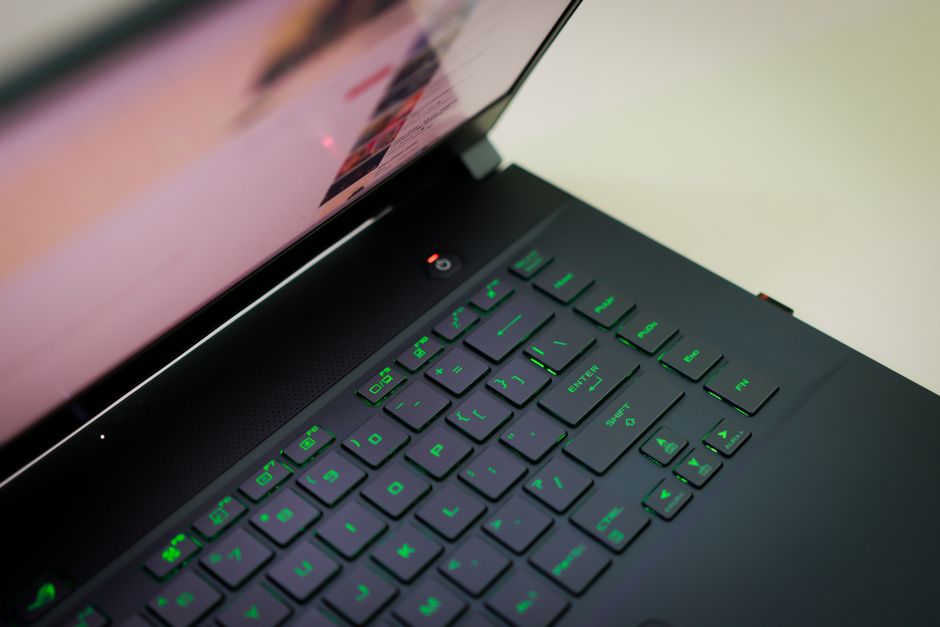
For many, the $1000 mark represents a crucial threshold – it’s where affordability meets capability. While you won’t get top-tier RTX 4080 performance, this segment of the market has seen incredible advancements. Thanks to fierce competition among manufacturers and the steady evolution of mobile GPUs and CPUs, budget gaming laptops are more powerful and feature-rich than ever before. Serious gamers who understand the art of intelligent compromise can find machines capable of running modern AAA titles at respectable frame rates on medium to high settings, often with a smooth 1080p experience.
The key here is prioritization. Do you need the absolute fastest CPU or a slightly better GPU? Is a blazing-fast refresh rate more important than maximum storage? We’ll explore these trade-offs and guide you to smart choices that maximize your gaming dollar.
Our Picks for the Best Gaming Laptops Under $1000
After sifting through specifications, benchmarks, and user reviews, I’ve identified several contenders that consistently deliver value and performance in this competitive space. These machines often strike a great balance, making them excellent choices for those seeking affordable gaming laptops.
Acer Nitro 5
The Acer Nitro 5 has long been a staple in the budget gaming laptop category, and for good reason. It consistently offers configurations that punch above their weight class. You can often find variants with an Intel Core i5 or AMD Ryzen 5 processor paired with an NVIDIA GeForce RTX 3050 or even an RTX 4050 GPU. This combination is a sweet spot for 1080p gaming, providing solid performance in most modern titles. (See also: Gaming Security Alert: Captcha Session Stealers Like LummaStealer)
- Pros: Excellent performance-to-price ratio, decent cooling for the segment, often features a 144Hz display.
- Cons: Build quality can feel a bit plasticky, battery life is usually just average, aesthetics are distinctly “gamer.”
- Why it’s great: It’s a no-nonsense workhorse that prioritizes raw gaming power. If you want to maximize frames for your dollar, the Nitro 5 is usually a safe bet.
Lenovo Legion 5 (Older Generations)
While newer Legion models might push past our budget, you can frequently find last-generation Lenovo Legion 5 models (especially refurbished or on sale) that sneak in under $1000. These often come with AMD Ryzen 7 or Intel Core i7 processors and an RTX 3050 Ti or even an RTX 3060, which would be an absolute steal at this price point. The Legion series is known for its understated design, excellent keyboards, and superior cooling compared to many rivals.
- Pros: Premium build quality for the price, excellent cooling system, comfortable keyboard, often a more mature design.
- Cons: Can be harder to find specific configurations under $1000, may be slightly heavier than some competitors.
- Why it’s great: If you can snag a Legion 5 with an RTX 3060 near this price, it’s arguably the best value you can get. Its overall user experience often feels more premium.
HP Victus 15/16
HP’s Victus line aims to bridge the gap between their Omen gaming brand and mainstream laptops, offering a more minimalist design while still packing a punch. The Victus 15 or 16 often feature Intel Core i5/i7 or AMD Ryzen 5/7 CPUs and an RTX 3050 or occasionally an RTX 4050. What sets it apart for many is its cleaner aesthetic, making it suitable for both gaming and professional environments.
- Pros: Subtler design, good display options (often 144Hz), strong performance for the price, comfortable keyboard.
- Cons: Cooling can sometimes struggle under heavy loads compared to the best in class, trackpad can be inconsistent.
- Why it’s great: A solid all-rounder that doesn’t scream “gamer” but still delivers the performance you need for a satisfying gaming session.
MSI Thin GF63 / Katana 15
MSI consistently offers cheap gaming laptops that hit attractive price points. The Thin GF63 and Katana 15 are common examples. You’ll typically find them with Intel Core i5 or i7 processors and an RTX 3050 or RTX 4050. These are often among the first to drop below the $1000 mark due to aggressive pricing, making them excellent entry points into PC gaming.
- Pros: Very aggressive pricing, often lightweight for a gaming laptop, good performance for the cost.
- Cons: Build quality can feel less robust, cooling systems are sometimes basic, battery life is often poor.
- Why it’s great: If your budget is tight and you want to prioritize raw frames per dollar, MSI’s budget offerings are frequently the answer.
What to Look For in the Best Gaming Laptops Under $1000
Navigating the specifications of budget gaming laptops requires a keen eye. Here’s what you should prioritize to ensure you’re getting the most bang for your buck:
Graphics Card (GPU) – The Gaming Heartbeat
This is arguably the most crucial component. For under $1000, aim for an NVIDIA GeForce RTX 3050, RTX 3050 Ti, or ideally an RTX 4050. AMD’s Radeon RX 6600M is also a strong contender. The older GTX 1650 is still playable for less demanding titles or lower settings, but the RTX series offers better performance and features like DLSS, which can significantly boost frame rates in supported games.
Processor (CPU) – The Brains of the Operation
An Intel Core i5 (11th generation or newer) or AMD Ryzen 5 (5000 series or newer) is generally sufficient. If you can find an i7 or Ryzen 7, that’s a bonus, especially for multitasking or CPU-intensive games. However, for pure gaming at 1080p, the GPU will be the primary bottleneck, so don’t overspend on the CPU at the expense of a better GPU.
RAM (Memory) – Multitasking Power
8GB of RAM is the absolute minimum, but 16GB is highly recommended for a smoother gaming experience and better multitasking. Check if the laptop allows for future upgrades; many budget models come with 8GB in a single stick, making it easy to add another 8GB stick later for dual-channel performance.
Storage – Speed and Capacity
A 512GB NVMe SSD should be your target. NVMe SSDs are significantly faster than older SATA SSDs or traditional HDDs, leading to quicker boot times and game loads. While 512GB fills up fast with modern games, it’s often the best you’ll get in this price range. Look for models that offer an empty M.2 slot or a 2.5-inch drive bay for future expansion. (See also: Xbox Support Review: Performance Benchmarks & Final Verdict)
Display – Your Window to Worlds
A 1080p (Full HD) display is standard. Prioritize a high refresh rate (120Hz or 144Hz) for smoother gameplay, especially in competitive titles. An IPS panel is preferred for better color accuracy and viewing angles, which is important for an immersive experience.
Build Quality & Cooling – Longevity and Performance
At this price point, expect mostly plastic builds. What’s more important is effective cooling. Look for laptops with dual fans and multiple heat pipes to prevent thermal throttling during long gaming sessions. User reviews often highlight cooling performance, so pay attention to those.
The Verdict: Serious Gaming on a Serious Budget
It’s clear that the sub-$1000 market for gaming laptops isn’t just about compromise; it’s about smart choices and incredible value. The options we’ve explored demonstrate that you absolutely can find the best gaming laptops under 1000 dollars that deliver a truly satisfying gaming experience. Whether you prioritize raw performance, a more premium build, or a subtle design, there’s a machine out there for you.
While you won’t be maxing out every setting on every game, these machines provide more than enough horsepower to immerse yourself in the latest titles at enjoyable frame rates. So, for the serious gamer who’s also serious about their budget, rest assured: your next adventure doesn’t have to break the bank. Happy gaming!
❓ Frequently Asked Questions
What specs should I look for in a gaming laptop under $1000?
Prioritize a dedicated GPU (GTX 1650/RTX 3050), 8-16GB RAM, an SSD, and a decent CPU (Ryzen 5/Intel i5 or better).
Can I run new AAA games on a laptop under $1000?
Yes, most can run recent AAA games at 1080p, often on medium to high settings, depending on the specific title and optimization.
Are gaming laptops under $1000 durable?
Durability varies by brand and model, but many offer solid build quality suitable for regular use. Checking specific model reviews is recommended.
Should I upgrade a budget gaming laptop?
RAM and storage (SSD) are often upgradeable and can significantly boost performance. CPU/GPU upgrades are typically not possible.



Leave a Reply