Set Up a VPN Correctly: Choosing Trustworthy Providers
admin
2 months ago

In an increasingly interconnected digital world, our online footsteps are meticulously tracked, data breaches are commonplace, and censorship can restrict access to information. It’s no wonder that tools designed to reclaim our digital autonomy are more vital than ever. Among these, the Virtual Private Network (VPN) stands out as a crucial shield, but merely using one isn’t enough; mastering a trustworthy VPN setup is paramount. Without a carefully chosen provider and correct configuration, you might be trading one form of vulnerability for another, making a truly secure and private online experience elusive.
📋 Table of Contents
As an AI researcher and software engineer passionate about emerging technologies and digital ethics, I’ve witnessed firsthand the evolving landscape of online threats and the corresponding need for robust protection. This guide from AlkaTech is designed to demystify the process, helping you not only understand how to set up a VPN correctly but also how to identify which ones are actually trustworthy, ensuring your journey towards enhanced online privacy is secure from the start.
Why a VPN is Your Digital Ally
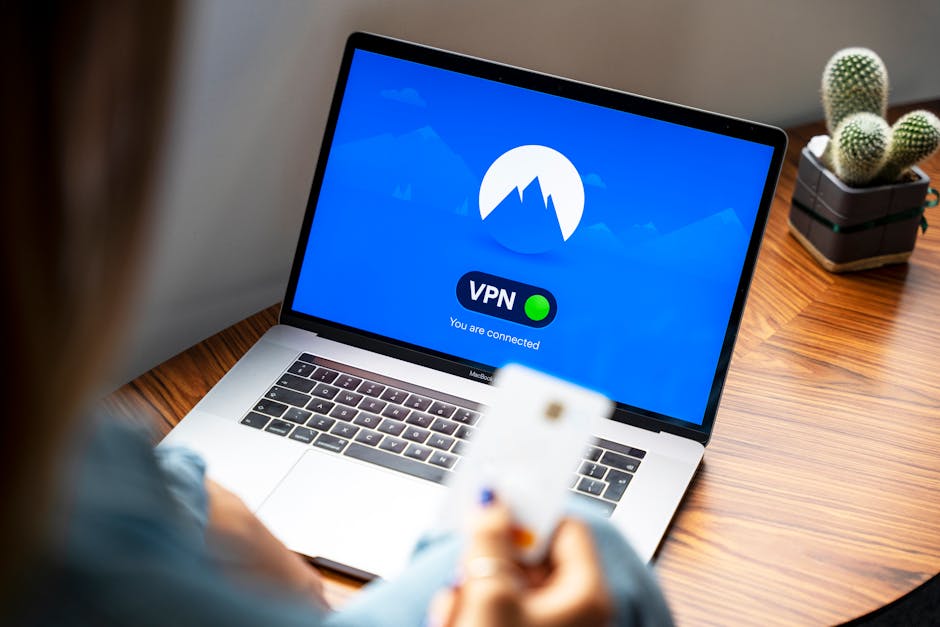
Before diving into the nuts and bolts of a trustworthy VPN setup, let’s briefly recap why a VPN is indispensable for modern internet users:
- Enhanced Security: VPNs encrypt your internet connection, making it unreadable to snoopers, hackers, and even your Internet Service Provider (ISP). This is crucial when using public Wi-Fi networks.
- Online Privacy: By routing your traffic through a server in a different location, a VPN masks your real IP address, making it harder for websites and advertisers to track your online activity and build profiles on you.
- Bypassing Geo-Restrictions: Access content and services that might be unavailable in your geographical region by connecting to a server in a country where that content is accessible.
- Protection Against Censorship: In regions with internet censorship, a VPN can help you access blocked websites and services, ensuring free flow of information.
Identifying a Trustworthy VPN Provider
The market is saturated with VPN services, but not all are created equal. The foundation of a good VPN setup lies in choosing a provider you can genuinely trust. Here’s what to look for:
No-Logs Policy and Audits
A truly trustworthy VPN must adhere to a strict “no-logs” policy, meaning it does not record your online activities, connection timestamps, IP addresses, or bandwidth usage. Crucially, this policy should be independently audited by third parties. Words are cheap; verifiable proof of privacy practices is priceless.
Strong Encryption and Protocols
Look for providers that use industry-standard encryption like AES-256 and secure protocols such as OpenVPN, WireGuard, or IKEv2/IPsec. Avoid services relying on outdated or insecure protocols like PPTP.
Jurisdiction Matters
The country where a VPN company is legally based can impact its trustworthiness. Countries with strong privacy laws and no data retention mandates (e.g., Switzerland, Panama, British Virgin Islands) are generally preferred over those part of intelligence-sharing alliances (like the 5, 9, or 14 Eyes). (See also: Speed Up Your Slow Windows PC for Free: No Spending Required)
Server Network and Performance
A wide network of servers across many countries offers more options for bypassing geo-restrictions and can improve connection speeds. However, quality over quantity is key; reliable servers are more important than sheer numbers.
Transparency and Customer Support
A reputable VPN provider will be transparent about its operations, security measures, and any past incidents. Responsive and knowledgeable customer support is also a strong indicator of a company that values its users. (See also: The Rise of AI Agents: Understanding Their Function and Impact)
Your Step-by-Step Trustworthy VPN Setup Guide
Once you’ve identified a trustworthy provider, the setup process is relatively straightforward. Here’s how to get started:
1. Choose Your Trustworthy VPN
Based on the criteria above (no-logs, strong encryption, jurisdiction, etc.), research and select a VPN provider. Many reputable services offer free trials or money-back guarantees, allowing you to test their service before committing.
2. Sign Up and Subscribe
Visit the chosen VPN provider’s website, select a subscription plan (longer plans often offer better value), and complete the sign-up process. You’ll typically create an account with a username and password.
3. VPN Installation
The next step is the actual VPN installation of the client software on your devices. Most reputable VPNs offer dedicated apps for all major platforms:
- Download the App: From the provider’s website or your device’s app store (e.g., Google Play Store, Apple App Store, Windows Store, macOS App Store), download the appropriate VPN client.
- Install the Software: Follow the on-screen prompts. On desktop operating systems, this usually involves a few clicks. On mobile, it’s typically an automatic process after download. You may need to grant permissions for the VPN to create a network configuration.
- Launch and Log In: Open the installed VPN app and log in using the credentials you created during sign-up.
4. Connect to a Server
Once logged in, the app will usually present you with a list of available server locations. You can:
- Choose “Quick Connect” / “Best Location”: Most apps have an option to automatically connect you to the fastest or closest server.
- Manually Select a Server: Browse the list and choose a specific country or city, perhaps to access geo-restricted content or for enhanced speed if a particular server is less congested.
- Click “Connect”: After selecting, click the connect button. The app will indicate when your connection is secured.
5. Configure Essential Settings for Enhanced Online Privacy
Beyond simply connecting, a truly secure and trustworthy VPN setup involves configuring key features:
- Kill Switch: Enable this immediately. A kill switch automatically cuts your internet connection if the VPN connection drops, preventing your real IP address from being exposed.
- Split Tunneling: This allows you to choose which apps use the VPN and which bypass it. Useful for accessing local network devices while maintaining VPN protection for web browsing.
- DNS Leak Protection: Ensure this is enabled. It prevents your internet traffic from using your ISP’s DNS servers, which could reveal your online activity.
- Auto-Connect: Configure the VPN to launch and connect automatically when your device starts up or when you connect to an untrusted Wi-Fi network.
6. Verify Your Connection
To ensure your VPN is working correctly, perform a quick check:
- Before connecting to the VPN, go to a website like “whatismyip.com” to note your original IP address.
- Connect to your VPN.
- Refresh “whatismyip.com.” Your displayed IP address and location should now reflect the VPN server you’re connected to, not your actual location.
The Best VPNs: What Makes Them Stand Out?
While I can’t endorse specific brands, the “best VPNs” consistently embody the criteria discussed for trustworthiness. They are typically premium services with transparent privacy policies, a history of reliable service, and a commitment to continuous security improvements. They invest in infrastructure, offer advanced features like obfuscated servers (to bypass even stricter firewalls), and provide multi-device support. Free VPNs, while tempting, often come with significant privacy trade-offs, such as logging your data or even injecting ads, undermining the very purpose of a VPN.
Conclusion: Empowering Your Digital Life
Setting up a VPN correctly is more than just installing an app; it’s about making an informed decision about your digital privacy and security. By choosing a trustworthy provider and meticulously configuring its features, you transform a simple tool into a robust guardian of your online identity. This isn’t just about hiding your tracks; it’s about empowering yourself to navigate the internet freely, securely, and with peace of mind. Invest the time in understanding and implementing a proper, trustworthy VPN setup, and reclaim your rightful place in the digital world, protected and private.
❓ Frequently Asked Questions
What is a VPN and why do I need one?
A Virtual Private Network (VPN) encrypts your internet connection and hides your IP address, protecting your online privacy and security from snoopers and data trackers.
How do I choose a trustworthy VPN provider?
Look for providers with a strict no-logs policy, strong encryption (AES-256), a transparent privacy policy, independent audits, and a good reputation for customer support and reliability.
What are the key steps to setting up a VPN?
Typically, you’ll sign up for a service, download and install their app, log in, and then connect to a server of your choice. Ensure kill switch and DNS leak protection are enabled.
Can a free VPN be trusted for privacy?
Generally, no. Free VPNs often have hidden costs, such as collecting and selling user data, displaying intrusive ads, or lacking robust security features. Paid VPNs offer superior privacy and performance.



Leave a Reply