Budget Gaming PC Build Guide: Run Modern Games Smoothly
admin
2 months ago
The dream of smooth, immersive PC gaming often comes with an intimidating price tag. Many believe that to truly enjoy modern titles, you need to shell out thousands on a top-tier rig. But what if I told you that building a budget gaming PC capable of running today’s most demanding games smoothly is not only possible but entirely within reach? Forget the myth that affordable means sacrificing performance; with the right knowledge and strategic component choices, you can assemble a powerful yet economical machine. (See also: Best Gaming Chairs for Long Sessions: Comfort, Posture & Price)
📋 Table of Contents
Here at AlkaTech, we understand that the future of tech is accessible. As an AI researcher and software engineer, I’m passionate about empowering enthusiasts to harness the power of emerging technologies without breaking the bank. So, let’s dive into how you can construct an affordable gaming PC that delivers an exceptional gaming experience, proving that a cheap gaming computer doesn’t have to compromise on fun.
The Core Philosophy Behind Your Budget Gaming PC
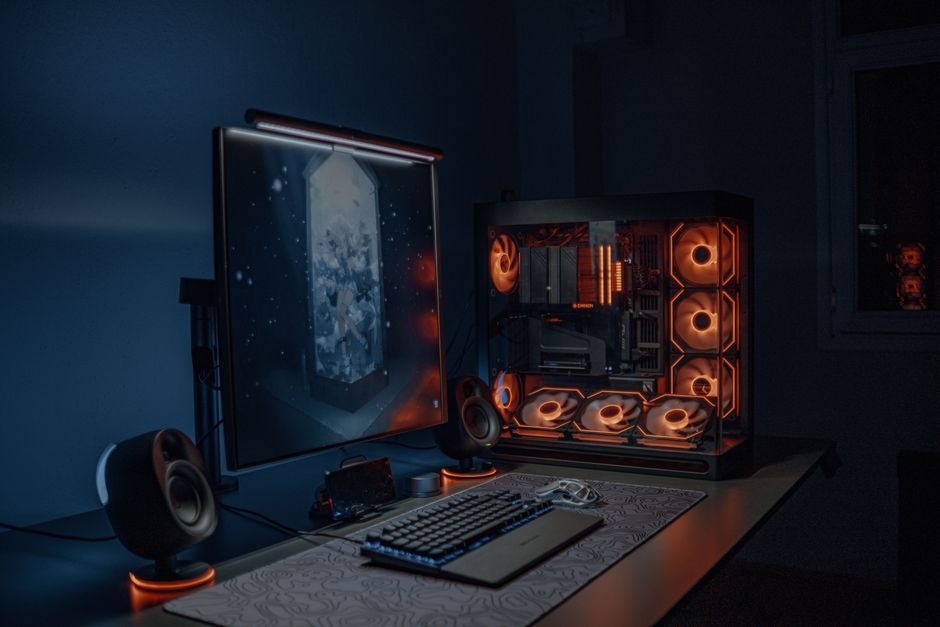
Building a budget gaming PC isn’t about buying the cheapest parts; it’s about smart allocation of your funds. The core philosophy revolves around maximizing performance per dollar and making informed trade-offs. This means understanding which components deliver the most significant impact on gaming performance and prioritizing your budget accordingly. We’re aiming for a sweet spot where games run at a stable 60+ FPS at 1080p resolution, with settings ranging from medium to high, depending on the title.
The key is to identify bottlenecks and invest where it matters most. For gaming, this almost always means the graphics card. Other components should be chosen to support the GPU without overspending on features that offer diminishing returns for gaming. Think of it as building a balanced team where every player contributes, but the star player gets the most significant investment.
Essential Gaming PC Parts for Performance and Value
Let’s break down the critical gaming PC parts you’ll need and how to make the smartest choices for an affordable build.
Graphics Card (GPU): The Heart of Your Rig
This is where the majority of your budget should go. The GPU dictates your frame rates and graphical fidelity. For a budget build, look for mid-range cards from the current or previous generation. Options like an NVIDIA GeForce RTX 3060/4060 or an AMD Radeon RX 6600/7600 offer excellent 1080p performance and even dabble in 1440p for lighter titles. Don’t be afraid to look at the used market, but exercise caution: always buy from reputable sellers and verify functionality if possible. A well-chosen used GPU can be the biggest saver and performance booster.
Processor (CPU): The Supporting Brain
While crucial, the CPU often doesn’t need to be top-tier for gaming. A mid-range processor like an Intel Core i5 (current or previous generation) or an AMD Ryzen 5 series is usually more than sufficient. These CPUs offer enough cores and threads to handle modern games and background tasks without bottlenecking your chosen GPU. Avoid entry-level CPUs, as they might struggle, but also steer clear of high-end i7/i9 or Ryzen 7/9 unless you have specific productivity needs.
RAM (Memory): 16GB is the Sweet Spot
For modern gaming, 16GB of RAM is the absolute minimum you should aim for. 8GB will lead to stuttering in many new titles. Look for two 8GB sticks (e.g., 2x8GB) to take advantage of dual-channel memory, which significantly boosts performance over a single stick. For speed, DDR4 around 3200MHz or DDR5 around 5600MHz offers a great balance of performance and cost. Don’t overspend on extremely high-frequency RAM, as the real-world gaming benefit is often negligible for budget builds. (See also: Nintendo Switch Games: Performance Benchmarks & Review Verdict)
Storage (SSD): Speed is King
An SSD (Solid State Drive) is non-negotiable for your operating system and primary games. The loading times and overall system responsiveness improvements are immense compared to traditional HDDs. An NVMe M.2 SSD (e.g., 500GB or 1TB) for your OS and a few favorite games offers incredible speed. If you need more storage for a large game library or media, consider adding a larger, slower HDD later, or another SATA SSD.
Motherboard: Connectivity and Compatibility
Your motherboard needs to be compatible with your chosen CPU and RAM. For a budget build, you don’t need a feature-rich, high-end board. Focus on one that provides adequate connectivity (enough USB ports, M.2 slots), decent power delivery for your CPU, and reliable performance. Chipsets like Intel B660/B760 or AMD B550/B650 are typically excellent value options.
Power Supply Unit (PSU): Don’t Skimp on Safety
Never cheap out on your PSU. A poor-quality PSU can damage your components or fail prematurely. Aim for an 80 PLUS Bronze or Gold rated unit from a reputable brand (e.g., Corsair, Seasonic, EVGA, Cooler Master). Calculate your system’s estimated wattage (online calculators help) and add about 100-150W headroom for future upgrades and efficiency.
Case: Airflow Over Aesthetics
For a budget build, prioritize functionality. Look for a case with good airflow (mesh front panels are excellent), adequate space for your components, and decent cable management options. You don’t need fancy RGB or tempered glass if it pushes you over budget. A functional case ensures your components stay cool and perform optimally.
Sourcing Your Gaming PC Parts Smartly
- New vs. Used: GPUs and CPUs can offer significant savings on the used market. RAM can also be a good used buy. PSUs and SSDs are generally safer to buy new due to warranty and reliability concerns.
- Sales and Deals: Keep an eye out for seasonal sales events (Black Friday, Cyber Monday, Prime Day), holiday promotions, and manufacturer rebates.
- Bundles: Retailers often offer CPU + Motherboard + RAM bundles that can save you a considerable amount compared to buying components separately.
Optimizing Your Cheap Gaming Computer for Performance
Once your cheap gaming computer is assembled, a few optimization steps can further enhance your gaming experience:
- Driver Updates: Always install the latest graphics drivers from NVIDIA or AMD. These often include performance optimizations for new games.
- In-Game Settings: Don’t be afraid to tweak settings. Experiment with presets (Medium/High) and then fine-tune specific demanding options like shadows, anti-aliasing, and volumetric clouds until you find a balance between visual quality and frame rate.
- Operating System Optimization: Use Windows’ “Game Mode,” disable unnecessary background applications, and ensure your power settings are set to “High Performance.”
- Monitor Refresh Rate: Ensure your monitor is set to its highest refresh rate in Windows display settings to fully appreciate smooth frame rates.
Building a budget gaming PC is an incredibly rewarding journey. It’s an opportunity to understand the inner workings of your machine, make smart financial decisions, and ultimately, enjoy a fantastic gaming experience without the premium price tag. With careful planning and strategic component choices, you can create a powerful system that tackles modern games smoothly, proving that high-performance gaming doesn’t have to be an exclusive club. Dive in, have fun, and game on!
❓ Frequently Asked Questions
What is the minimum budget required for a gaming PC that runs modern games smoothly?
While it varies, you can often build a decent budget gaming PC capable of 1080p gaming for around $500-$700 USD by carefully selecting components.
Will a budget gaming PC actually run modern games smoothly?
Yes, by focusing on a balanced build with a good CPU and GPU, a budget PC can achieve smooth 1080p performance in most modern titles, often at medium settings.
Which components should I prioritize for a budget gaming build?
Prioritize the CPU and GPU as they have the biggest impact on gaming performance. Don’t skimp entirely on the PSU or SSD, but you can save on RAM capacity (start with 16GB) or case aesthetics.
Is it safe to buy used components for a budget gaming PC?
Buying used components like GPUs or CPUs can save significant money. However, always buy from reputable sellers, check for warranties, and thoroughly test parts upon receipt to ensure functionality.


Leave a Reply