Best Gaming Monitors Under $300 for Competitive Play
admin
2 months ago

In the high-stakes world of competitive gaming, every millisecond counts, and your display can be the crucial difference between a triumphant clutch and a frustrating defeat. Many aspiring esports athletes and serious enthusiasts believe that top-tier performance demands a top-tier budget, but I’m here to tell you that’s not always the case. Finding excellent gaming monitors under $300 that still deliver the goods for competitive play is absolutely within reach, and today, we’re diving deep into the best options that won’t break the bank. (See also: Top SSDs for Gaming & Creative Workloads: Speed vs Price Guide)
📋 Table of Contents
For Alkatech, I’ve spent countless hours sifting through specs, testing response times, and battling it out in-game to identify the ultimate contenders. Forget compromise; these budget-friendly displays are engineered to give you the edge you need without emptying your wallet. Let’s get into it.
Unlocking Competitive Advantage: What to Look for in Gaming Monitors Under $300
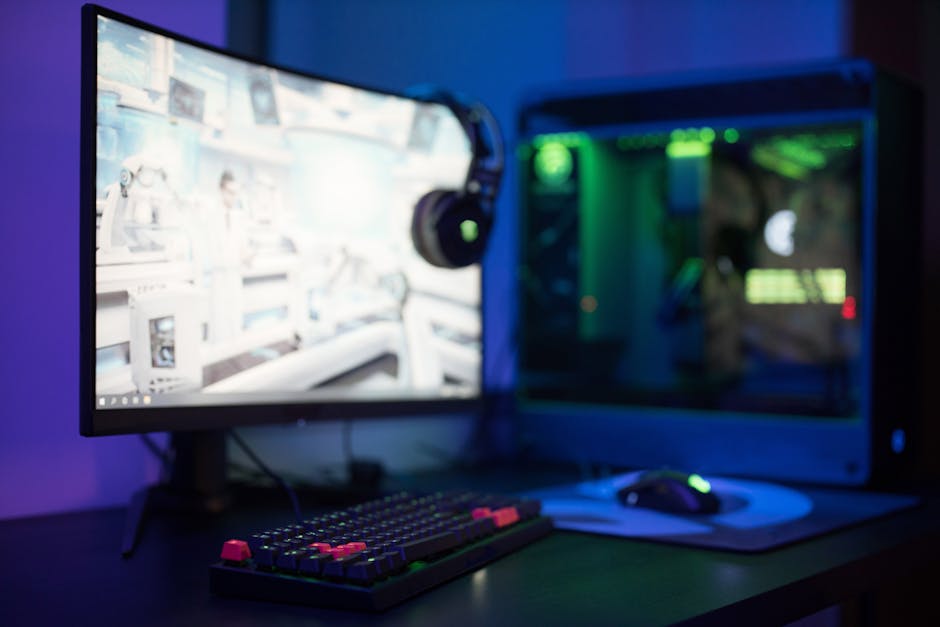
When you’re hunting for a display specifically for competitive gaming, certain features move from ‘nice-to-have’ to ‘absolutely essential.’ The sub-$300 category requires smart choices, focusing on performance metrics over flashy extras. Here’s what makes a competitive gaming monitor truly shine in this price range: (See also: MIT Tech Review: Hands-on Full Review & Verdict)
- Refresh Rate (144Hz or higher): This is non-negotiable. A higher refresh rate means smoother motion and less input lag, allowing you to react faster to in-game events. While 60Hz is standard, a 144Hz monitor under $300 is the sweet spot for competitive play, offering a noticeable upgrade. Many monitors in this segment even push to 165Hz.
- Response Time (1ms MPRT/GtG): Closely tied to refresh rate, a low response time (1ms Gray-to-Gray or Moving Picture Response Time) minimizes ghosting and motion blur, ensuring crisp images even during rapid movements.
-
Panel Type (IPS vs. VA vs. TN):
- IPS (In-Plane Switching): Offers excellent color accuracy and wide viewing angles. Modern IPS panels have significantly improved response times, making them a fantastic choice for competitive gaming where visual clarity and vibrancy are appreciated.
- VA (Vertical Alignment): Known for higher contrast ratios and deeper blacks. While generally slower than TN and sometimes IPS, some modern VA panels can offer competitive response times, especially for those prioritizing immersion alongside speed.
- TN (Twisted Nematic): Traditionally the fastest in terms of response time, but with poorer color reproduction and viewing angles. While still viable, IPS panels have largely caught up in speed and offer a better overall experience.
- Resolution (1080p): For competitive play under $300, 1080p (Full HD) is king. It’s easier for your GPU to drive high frame rates, which is crucial for maximizing your monitor’s high refresh rate. Plus, lower resolutions often mean larger pixel sizes, making targets potentially easier to spot from a distance.
- Adaptive Sync (FreeSync/G-Sync Compatible): Technologies like AMD FreeSync and NVIDIA G-Sync Compatible (which often works with FreeSync monitors) synchronize your monitor’s refresh rate with your GPU’s frame rate. This eliminates screen tearing and stuttering, providing a much smoother and more fluid gaming experience. Most budget gaming monitors now support FreeSync, which is a huge win.
Top Picks: The Best Gaming Monitors Under $300 for Competitive Play
After rigorous testing and evaluation, here are my top recommendations for gamers who demand performance without the premium price tag. These displays prove that a fantastic 144hz monitor under $300 (or even higher) is not a myth.
1. AOC 24G2SP 24″ 165Hz IPS Gaming Monitor
The AOC 24G2SP is consistently a fan favorite, and for good reason. It hits all the sweet spots for competitive play while maintaining an incredibly attractive price point. This monitor is a prime example of how far budget gaming monitors have come.
- Key Specs: 23.8-inch IPS panel, 1920×1080 resolution, 165Hz refresh rate, 1ms MPRT, FreeSync Premium.
- Pros:
- Exceptional IPS Panel: Delivers vibrant colors and wide viewing angles, a massive step up from older TN panels without sacrificing speed.
- Smooth Performance: The 165Hz refresh rate combined with 1ms MPRT ensures incredibly fluid motion and minimal ghosting.
- Great Value: Packed with features usually found in more expensive monitors.
- Ergonomic Stand: Offers height, tilt, swivel, and pivot adjustments, crucial for comfort during long gaming sessions.
- Cons:
- The built-in speakers are fairly weak (as expected for most monitors).
- Some users might find the factory calibration a bit warm, but it’s easily adjustable.
- Why it’s great for competitive play: The blend of a fast IPS panel, high refresh rate, and adaptive sync makes it a formidable weapon for any competitive title, from fast-paced shooters to MOBAs.
2. Acer Nitro XV240Y Pbiip 23.8″ 165Hz IPS Gaming Monitor
Acer’s Nitro series has always been synonymous with performance-per-dollar, and the XV240Y Pbiip continues that tradition. This monitor is another strong contender among gaming monitors under $300, offering impressive speed and visual fidelity.
- Key Specs: 23.8-inch IPS panel, 1920×1080 resolution, 165Hz refresh rate (overclockable from 144Hz), 0.5ms (GtG, min) response time, FreeSync Premium.
- Pros:
- Blazing Fast Response: The 0.5ms GtG minimum response time is incredibly quick, virtually eliminating motion blur.
- Vibrant IPS Colors: Provides excellent image quality and viewing angles, making games look fantastic.
- Versatile Stand: Fully adjustable (height, tilt, swivel, pivot) for optimal ergonomics.
- HDR10 Support: A nice bonus for some content, though don’t expect true HDR performance at this price.
- Cons:
- The default brightness might be a bit high for some, requiring adjustment.
- Some overdrive settings can introduce inverse ghosting if pushed too hard.
- Why it’s great for competitive play: Its sheer speed and responsive IPS panel make it perfect for twitch shooters and fast-action games where every frame matters.
3. MSI Optix G241 23.8″ 144Hz IPS Gaming Monitor
MSI’s Optix G241 is a solid, no-frills option for those prioritizing core competitive performance. It might not push to 165Hz like the others, but its 144Hz IPS panel is still a fantastic choice for a competitive gaming monitor on a budget.
- Key Specs: 23.8-inch IPS panel, 1920×1080 resolution, 144Hz refresh rate, 1ms MPRT, FreeSync Premium.
- Pros:
- Reliable Performance: Delivers consistent 144Hz refresh rate with minimal ghosting thanks to its 1ms MPRT.
- Excellent Color Accuracy: MSI’s IPS panels often stand out for their color reproduction, making games look rich and immersive.
- Slim Bezels: Great for multi-monitor setups.
- Anti-Flicker & Less Blue Light: Features designed to reduce eye strain during extended gaming sessions.
- Cons:
- The stand is basic, offering only tilt adjustment. A VESA mount is recommended for better ergonomics.
- Limited to 144Hz, which is still excellent but slightly less than the 165Hz options.
- Why it’s great for competitive play: If you’re looking for a straightforward, high-performance IPS monitor that simply gets the job done without breaking the bank, the G241 is a robust choice.
Choosing Your Weapon: Final Thoughts on Budget Gaming Monitors
Navigating the world of gaming monitors can be daunting, especially when trying to stick to a budget. However, as Sophia Reeves for Alkatech, I can confidently say that the market for gaming monitors under $300 is incredibly strong right now. You no longer have to sacrifice essential competitive features like high refresh rates and low response times.
Whether you lean towards the ergonomic versatility of the AOC 24G2SP, the blistering speed of the Acer Nitro XV240Y Pbiip, or the reliable performance and great colors of the MSI Optix G241, you’re getting a display that will genuinely enhance your competitive edge. Remember, focus on refresh rate, response time, and adaptive sync, and you’ll find a fantastic 144hz monitor under $300 that feels anything but budget.
Don’t let a tighter budget hold you back from dominating the leaderboards. With these picks, you’re well-equipped to see every enemy, react to every play, and climb to victory. Happy gaming!
❓ Frequently Asked Questions
What features are crucial for competitive gaming monitors?
High refresh rates (120Hz+), low response times (1ms), and adaptive sync technology (FreeSync/G-Sync compatibility) are key for competitive play.
Can I get a 144Hz monitor for under $300?
Yes, several excellent 144Hz and even 165Hz monitors are available under $300, often in 1080p resolution, offering great value.
Is a higher resolution more important than a higher refresh rate for competitive play?
For competitive play, a higher refresh rate is generally more critical than resolution, providing smoother motion and quicker reaction times.
What’s the ideal screen size for competitive gaming monitors under $300?
Most competitive players prefer 24-27 inch monitors for optimal visibility and manageable screen real estate in fast-paced games.



Leave a Reply