Best Budget Laptops Under $500: Top Picks Worth Buying
admin
2 months ago

The Quest for Value: Finding the Best Budget Laptops Under $500
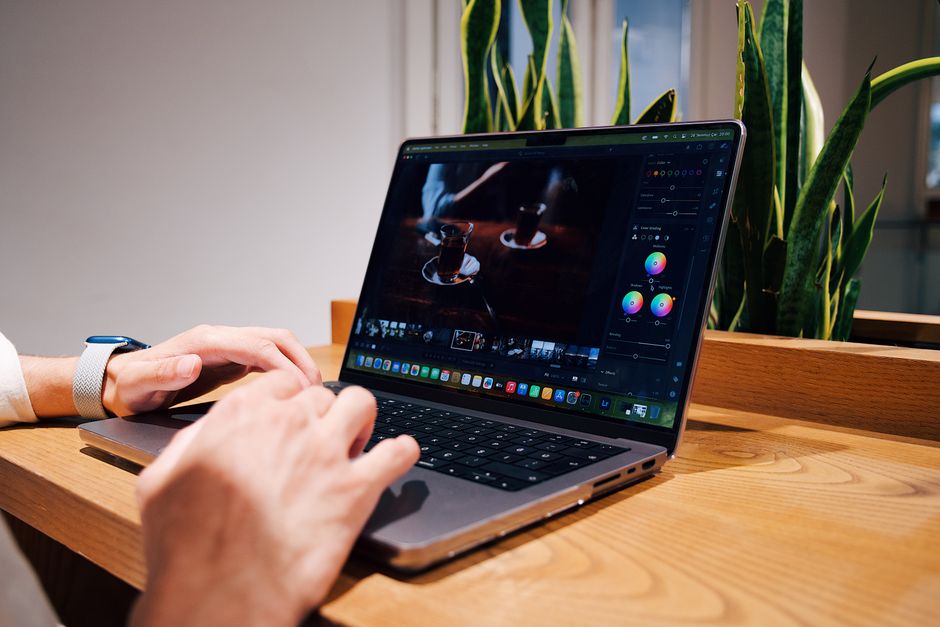
As a tech journalist, I’ve seen my fair share of devices, and few categories spark more debate and confusion than finding the best budget laptops under $500. It’s a challenging sweet spot, where expectations often collide with reality, but rest assured, truly valuable laptops under 500 dollars do exist. My goal today is to cut through the noise and help you identify the affordable laptops that are genuinely worth your hard-earned cash, avoiding the pitfalls of false economy.
📋 Table of Contents
For many, a laptop isn’t just a luxury; it’s an essential tool for work, study, and staying connected. But with prices soaring on premium models, the sub-$500 market has become a crucial battleground for manufacturers. The good news? Competition means innovation, and you can absolutely find a capable machine that meets your everyday needs without breaking the bank. You just need to know what to prioritize and what compromises are acceptable. (See also: Top SSDs for Gaming & Creative Workloads: Speed vs Price Guide)
Understanding the Landscape of Best Budget Laptops Under $500
Before diving into specific recommendations, let’s set some realistic expectations. When you’re shopping for the best budget laptops under $500, you won’t get a powerhouse for gaming, intensive video editing, or complex 3D rendering. What you can expect is a device perfectly suited for:
- Web browsing and email
- Word processing and spreadsheets
- Online learning and video conferencing
- Streaming movies and music
- Light photo editing
The key to finding the best cheap laptops in this segment is understanding where manufacturers typically cut corners and what features are non-negotiable for a good user experience.
What to Look For When Buying an Affordable Laptop
- Processor (CPU): Avoid anything older than an Intel Celeron N-series or AMD Athlon Gold. Ideally, look for an Intel Core i3 (10th gen or newer) or an AMD Ryzen 3 (3000 series or newer). These provide a noticeable boost in everyday responsiveness.
- RAM: 8GB of RAM should be your minimum target. While 4GB might get by for basic web browsing, it will quickly become a bottleneck with multiple tabs or applications open.
- Storage: An SSD (Solid State Drive) is paramount. Even a smaller 128GB or 256GB NVMe SSD will offer vastly superior speed compared to a traditional HDD. Cloud storage or an external drive can supplement smaller internal storage.
- Display: A 1080p (Full HD) display is a must. Anything less will look pixelated. IPS panels offer better viewing angles and color accuracy, but TN panels are more common at this price point. Aim for at least 250 nits of brightness.
- Battery Life: Look for at least 7-8 hours of real-world usage. This is crucial for portability and productivity on the go.
- Build Quality: Expect plastic constructions, but check reviews for hinge durability and keyboard flex. A comfortable keyboard and a responsive trackpad are vital.
- Operating System: Most will run Windows 11 Home, but don’t overlook Chromebooks if your workflow is primarily cloud-based.
Our Picks for the Best Budget Laptops Under $500
1. The Cloud-Connected Workhorse: Mid-Range Chromebook (e.g., Acer Chromebook Spin 311/314, Lenovo Chromebook Duet 5)
While specific models fluctuate in price, a well-equipped Chromebook often stands out as one of the best budget laptops under $500. Powered by Chrome OS, these machines are incredibly efficient, secure, and offer fantastic battery life. Many come with touchscreens and convertible designs, adding versatility. (See also: Best Noise-Canceling Headphones: Compare & Find Your Perfect Pair)
- Pros:
- Excellent Value: Often provide better performance-to-price ratio than Windows counterparts for basic tasks.
- Speed & Simplicity: Boots up in seconds, minimal maintenance, user-friendly interface.
- Long Battery Life: Typically 10+ hours on a single charge.
- Security: Built-in multi-layered security and automatic updates.
- Android App Support: Many models can run Android apps, expanding functionality.
- Cons:
- Offline Limitations: Heavily reliant on internet connectivity for full functionality.
- Software Compatibility: Cannot run Windows or macOS specific software.
- Limited Storage: Often come with 64GB or 128GB eMMC storage, which is fine for Chrome OS but not for large local files.
- Best For: Students, casual users, anyone whose workflow is primarily web-based (Google Workspace, Microsoft 365 web, streaming).
2. The Everyday Performer: Windows Laptop with Intel Core i3 or AMD Ryzen 3 (e.g., Acer Aspire 3/5, HP 15, Lenovo IdeaPad 3)
This category represents the sweet spot for many users needing a traditional Windows experience. Models featuring newer Intel Core i3 or AMD Ryzen 3 processors, paired with 8GB RAM and a 256GB SSD, offer a solid balance of performance and affordability. Keep an eye out for sales, as these often dip below the $500 mark.
- Pros:
- Full Windows Experience: Access to a vast ecosystem of software and applications.
- Decent Multitasking: 8GB RAM handles multiple browser tabs and productivity apps with ease.
- SSD Speed: Fast boot times and application loading.
- Versatility: Suitable for a wide range of tasks from schoolwork to managing personal finances.
- Cons:
- Build Quality: Often plastic, with potential for keyboard flex or less premium feel.
- Screen Quality: While 1080p, the panel might be a TN with limited viewing angles and average brightness.
- Battery Life: Typically 6-8 hours, which is acceptable but not outstanding.
- Portability: Can be a bit bulkier or heavier than premium ultrabooks.
- Best For: Home users, small business owners, college students needing specific Windows applications, general productivity.
3. The Unexpected Deal: Refurbished or On-Sale Mid-Range (e.g., Dell Latitude, Lenovo ThinkPad, HP ProBook)
Sometimes, the best budget laptops under $500 aren’t new models but rather slightly older business-grade machines or last-generation consumer laptops on deep discount. Reputable refurbished sellers (like those certified by manufacturers or major retailers) can offer incredible value.
- Pros:
- Superior Build Quality: Business laptops are built to last, featuring more durable chassis and better keyboards/trackpads.
- Better Performance: You might snag an Intel Core i5 or AMD Ryzen 5 from a generation or two ago, offering significantly more power.
- Premium Features: Often come with better port selection, webcam quality, and sometimes even backlit keyboards.
- Longevity: Designed for heavy daily use, they tend to hold up well over time.
- Cons:
- Warranty: Refurbished units typically have shorter warranties than new products.
- Aesthetics: May have minor cosmetic blemishes.
- Battery Health: While often replaced or certified, battery life might not be as “new” as a brand-new laptop.
- Availability: Deals come and go, requiring patience and quick action.
- Best For: Tech-savvy buyers looking for maximum bang for their buck, users who prioritize build quality and performance over the absolute latest features, small businesses.
Final Thoughts: Making Your Dollar Go Further
Finding the right laptop under $500 is about strategic compromise and understanding your core needs. Don’t fall for flashy features that detract from essential performance. Prioritize a solid processor, ample RAM, and an SSD. The screen and build quality are often where budget cuts are most apparent, so manage your expectations there.
The market for affordable laptops is dynamic, with prices shifting frequently. Always check multiple retailers, look for sales, and consider certified refurbished options from trusted sources. By focusing on the fundamentals and being realistic about what this price point offers, you can absolutely find a reliable and capable machine that serves you well for years to come. Happy hunting for your perfect budget companion!
❓ Frequently Asked Questions
What features should I look for in a sub-$500 laptop?
Focus on SSD storage, at least 8GB RAM, and a decent processor (e.g., Intel i3/Ryzen 3 equivalent or better) for everyday tasks and light multitasking.
Can I game on a laptop under $500?
Light gaming is possible, but don’t expect to run demanding AAA titles smoothly. Integrated graphics are standard in this price range, suitable for older or less graphically intensive games.
Are refurbished laptops a good option for a budget under $500?
Refurbished laptops from reputable sellers can offer better specs for your budget, often coming with warranties. Always check the seller’s return policy and warranty terms.
Which brands offer the best budget laptops under $500?
Brands like Acer, Lenovo, HP, and ASUS often have strong contenders in the sub-$500 category, known for providing good value and reliable performance for the price.



Leave a Reply