Best Tablets for Creative Professionals & Digital Artists
admin
2 months ago
The blank canvas. For artists, it’s a world of boundless possibility. But for digital artists and creative professionals, that canvas is increasingly a high-resolution, responsive screen, paired with a precision stylus. Finding the best tablets for artists that truly elevate your craft, rather than hindering it, is paramount. After a decade of tracking trends from Silicon Valley to global gadget launches, I’ve seen countless devices promise to be the ultimate creative companion. This year, the options are more powerful and diverse than ever, making the quest for the best tablets for artists both exciting and a little overwhelming. Let AlkaTech guide you through the top contenders, helping you choose the perfect digital easel for your next masterpiece.
📋 Table of Contents
Beyond the Basics: What Makes a Tablet Great for Artists?
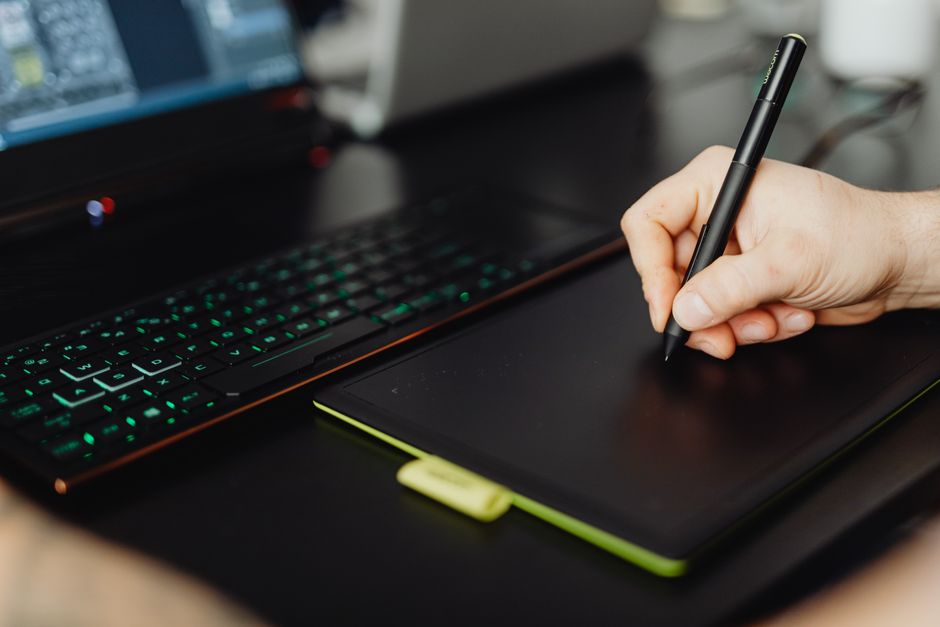
Before diving into specific models, let’s establish the critical features that distinguish a good tablet from an exceptional one for creative work. It’s not just about raw power; it’s about synergy between hardware and software.
- Display Quality: This is your window to your art. Look for high resolution, excellent color accuracy (covering sRGB, Adobe RGB, and DCI-P3), minimal parallax (the gap between the pen tip and the cursor), and a comfortable size for your workflow. A high refresh rate also makes for smoother drawing.
- Stylus Performance: The pen is an extension of your hand. Key features include high pressure sensitivity (4096+ levels are standard), tilt support for shading, low latency (how quickly the line appears after you draw it), comfortable ergonomics, and often, battery-free operation.
- Processing Power & RAM: Digital art files, especially those with many layers or large canvases, can be demanding. A powerful processor (e.g., Apple M-series, Intel Core i7/i9, Snapdragon 8 Gen series) and ample RAM (8GB minimum, 16GB+ recommended for pros) prevent lag and crashes.
- Software Ecosystem: Your tablet is only as good as the apps it can run. Consider the operating system (iOS, Android, Windows) and its compatibility with industry-standard software like Procreate, Adobe Creative Suite, Clip Studio Paint, Blender, and ZBrush.
- Portability & Battery Life: If you work on the go, weight, thickness, and how long it lasts on a single charge are crucial.
- Build Quality & Accessories: A durable device is important. Also, consider available accessories like stands, keyboards (if you need to type), and protective cases.
Best Tablets for Artists: Our Top Picks for 2024
Apple iPad Pro (M-series) with Apple Pencil 2
The iPad Pro, especially models equipped with Apple’s M-series chips, has become a formidable force in the digital art world. Paired with the second-generation Apple Pencil, it offers an unparalleled drawing experience for many artists. The Liquid Retina XDR display on the 12.9-inch model is simply breathtaking, delivering incredible color accuracy and contrast. Procreate, an iOS-exclusive app, is arguably the most intuitive and powerful drawing application available on a tablet, but the iPad Pro also handles Clip Studio Paint, Affinity Photo/Designer, and even Adobe Photoshop and Illustrator with impressive fluidity. The low latency of the Apple Pencil makes drawing feel incredibly natural, almost like pen on paper. Its robust app ecosystem and seamless integration within Apple’s hardware make it a top choice for illustrators, concept artists, and graphic designers who prioritize a polished, powerful, and portable creative studio.
Wacom MobileStudio Pro 16 / Wacom Cintiq Pro Series
Wacom has long been the gold standard for professional digital artists, and their MobileStudio Pro and Cintiq Pro lines continue this legacy. The MobileStudio Pro 16 is essentially a powerful Windows computer packed into a tablet form factor, allowing artists to run full desktop versions of software like Adobe Photoshop, Illustrator, ZBrush, and Blender directly on the device. Its Pro Pen 2 offers 8192 levels of pressure sensitivity, tilt recognition, and virtually no latency, making it incredibly precise. The Cintiq Pro series, while requiring a host computer, offers larger screen sizes and the same industry-leading pen technology, often preferred for studio work. These are premium tools for seasoned professionals in animation, comics, industrial design, and any field demanding the absolute best in pen input and desktop software compatibility. The investment is significant, but for many, it’s a non-negotiable professional necessity.
Samsung Galaxy Tab S9 Ultra (or S9/S9+)
For those looking for a premium Android experience, the Samsung Galaxy Tab S9 Ultra stands out. Its massive 14.6-inch Dynamic AMOLED 2X display offers stunning vibrancy and deep blacks, perfect for bringing artwork to life. Crucially, the S Pen is included in the box, and it’s an excellent stylus: battery-free, with low latency and 4096 levels of pressure sensitivity. Samsung’s DeX mode transforms the tablet interface into a desktop-like environment, improving multitasking. While Android’s professional art app ecosystem isn’t as expansive as iOS or Windows, apps like Clip Studio Paint, Infinite Painter, and Concepts are incredibly powerful and optimized for the S Pen. The Tab S9 series offers a compelling blend of features, display quality, and value, making it an excellent choice for digital painters and illustrators who prefer the Android platform or desire a larger, vibrant screen without the full Windows premium.
Microsoft Surface Pro 9 / Surface Laptop Studio 2
Microsoft’s Surface line offers the ultimate flexibility for artists who need to run full Windows desktop applications. The Surface Pro 9 is a powerful 2-in-1 tablet that can transform into a laptop, while the Surface Laptop Studio 2 offers a unique “studio mode” that positions the screen perfectly for drawing. Both devices support the excellent Surface Slim Pen 2, which offers haptic feedback to simulate the feel of pen on paper, along with 4096 levels of pressure sensitivity and tilt. The ability to run full versions of Photoshop, Illustrator, Blender, Maya, and any other Windows software without compromise makes these devices indispensable for artists who require that specific software flexibility. While the pen is often sold separately and the aspect ratio isn’t always ideal for art, the sheer power and versatility make the Surface lineup a strong contender for graphic designers, animators, and 3D artists needing a portable powerhouse. (See also: Top Tablets for Creative Professionals & Digital Artists in 2024)
Finding the Best Tablets for Artists: Key Decision Factors
With so many excellent options, how do you narrow it down? Consider these points:
- Your Primary Software: If you can’t live without Procreate, an iPad is your only choice. If full desktop Photoshop is a must, Windows tablets like the Surface or Wacom MobileStudio are essential.
- Budget: Tablets range from a few hundred to several thousand dollars. Determine what you can comfortably invest. Sometimes, starting with a mid-range option and upgrading later is a smart strategy.
- Portability Needs: Do you need something feather-light for sketching on the go, or a robust device for studio work? Screen size directly impacts portability.
- Ecosystem Preference: Are you already invested in Apple, Android, or Windows? Staying within an ecosystem often provides a smoother user experience and better cross-device integration.
- Screen Size Preference: Some artists thrive on smaller, more portable screens, while others demand a vast digital canvas for intricate details.
The Perfect
❓ Frequently Asked Questions
What features are essential for a creative tablet?
Look for high-resolution displays, pressure-sensitive styluses, powerful processors, ample RAM, and compatibility with professional art software.
Are iPads suitable for professional digital art?
Yes, iPads (especially Pro models with Apple Pencil) are highly capable, offering excellent displays, powerful chips, and a vast ecosystem of art apps like Procreate.
What’s the difference between a standalone tablet and a pen display?
Standalone tablets (e.g., iPad, Surface) function independently, while pen displays (e.g., Wacom Cintiq) connect to a computer to mirror or extend its display.
How much should I expect to spend on a tablet for creative work?
Prices vary widely. Entry-level options can start from $300-$500, while professional-grade devices with top-tier specs often range from $800 to over $2000.
❓ Frequently Asked Questions
What features are essential for a creative tablet?
Look for high-resolution displays, pressure-sensitive styluses, powerful processors, ample RAM, and compatibility with professional art software.
Are iPads suitable for professional digital art?
Yes, iPads (especially Pro models with Apple Pencil) are highly capable, offering excellent displays, powerful chips, and a vast ecosystem of art apps like Procreate.
What’s the difference between a standalone tablet and a pen display?
Standalone tablets (e.g., iPad, Surface) function independently, while pen displays (e.g., Wacom Cintiq) connect to a computer to mirror or extend its display.
How much should I expect to spend on a tablet for creative work?
Prices vary widely. Entry-level options can start from $300-$500, while professional-grade devices with top-tier specs often range from $800 to over $2000.



Leave a Reply