How to Build a Budget Gaming PC for Smooth Modern Gaming
admin
3 months ago
Budget Gaming Pc is one of the most talked-about topics in tech right now. The dream of diving into the latest AAA titles, experiencing breathtaking worlds, and dominating online arenas often comes with a hefty price tag attached – or so many believe. You hear about high-end graphics cards costing more than a used car, and suddenly, building your own gaming rig seems like an unattainable luxury. But what if I told you that achieving a fantastic gaming experience doesn’t require emptying your life savings? At AlkaTech, we’re all about empowering you with smart tech choices, and today, we’re tackling one of the most exciting challenges: how to build a budget gaming PC that not only runs modern games smoothly but also leaves enough cash in your pocket for, well, more games!
📋 Table of Contents
Forget the myth that “budget” means sacrificing performance. With a bit of savvy research and strategic component selection, you absolutely can assemble an impressive affordable gaming rig capable of delivering smooth modern gaming at 1080p, often even at 1440p with tweaked settings. This isn’t about cutting corners; it’s about optimizing value and making informed decisions.
Dispelling the Myth: What is a True Budget Gaming PC?
When we talk about a budget gaming PC, we’re not aiming for bare minimum settings or struggling through choppy frame rates. Our goal is a system that can comfortably play most new releases at 1080p resolution with medium-to-high graphics settings, consistently hitting 60 frames per second (FPS) or more. This sweet spot provides a fluid, immersive experience without breaking the bank. It means choosing components that offer the best performance-per-dollar, focusing on the core essentials that impact gaming most, and occasionally looking for smart deals or reliable used parts. (See also: Finally! The $8 Steam Cartridge Every PC Gamer Needs)
The beauty of building your own PC is the control you gain. You decide where to allocate your funds, prioritizing the graphics card and processor, which are the primary drivers of gaming performance. Every dollar is accounted for, ensuring you get maximum value and a machine tailored to your needs, rather than paying for features you don’t need in a pre-built system. (See also: Best Gaming Laptops Under $1000: Top Picks for Serious Gamers)
The Core Components of Your Budget Gaming PC
Let’s break down the essential ingredients for your powerful yet affordable gaming rig. Each choice is geared towards maximizing performance within a sensible budget.
CPU (Central Processing Unit)
- Recommendation: AMD Ryzen 5 5600 or Intel Core i5-12400F/13400F.
- Why: These processors offer an excellent balance of core count, clock speed, and price. They provide more than enough horsepower for gaming, easily handling background tasks and preventing bottlenecks for your chosen graphics card. The Ryzen 5 5600, especially, has seen significant price drops, making it an incredible value proposition. Look for “F” series Intel CPUs, as they lack integrated graphics, which you won’t need with a dedicated GPU, and are often cheaper.
GPU (Graphics Processing Unit)
- Recommendation: AMD Radeon RX 6600, RX 6600 XT, or NVIDIA GeForce RTX 3050, RTX 3060.
- Why: This is arguably the most critical component for smooth modern gaming. For 1080p performance, the AMD RX 6600 and 6600 XT are phenomenal value, often outperforming their NVIDIA counterparts at similar price points. The RTX 3050/3060 also offer solid 1080p performance, with the added benefit of NVIDIA’s DLSS technology, which can boost frame rates in supported games. Keep an eye on sales and the used market (from reputable sellers) for previous-generation cards like the RTX 2060 Super or GTX 1660 Super, which can still deliver excellent 1080p performance.
RAM (Random Access Memory)
- Recommendation: 16GB DDR4 (2x8GB sticks) at 3200MHz or 3600MHz.
- Why: Modern games are increasingly RAM-hungry. 16GB is the sweet spot for gaming, ensuring smooth multitasking and preventing stuttering. Opt for two 8GB sticks to enable dual-channel memory, which significantly boosts performance compared to a single stick. The higher clock speeds (3200MHz/3600MHz) are particularly beneficial for AMD Ryzen CPUs.
Motherboard
- Recommendation: AMD B550 (for Ryzen 5000 series) or Intel B660/B760 (for 12th/13th Gen Intel).
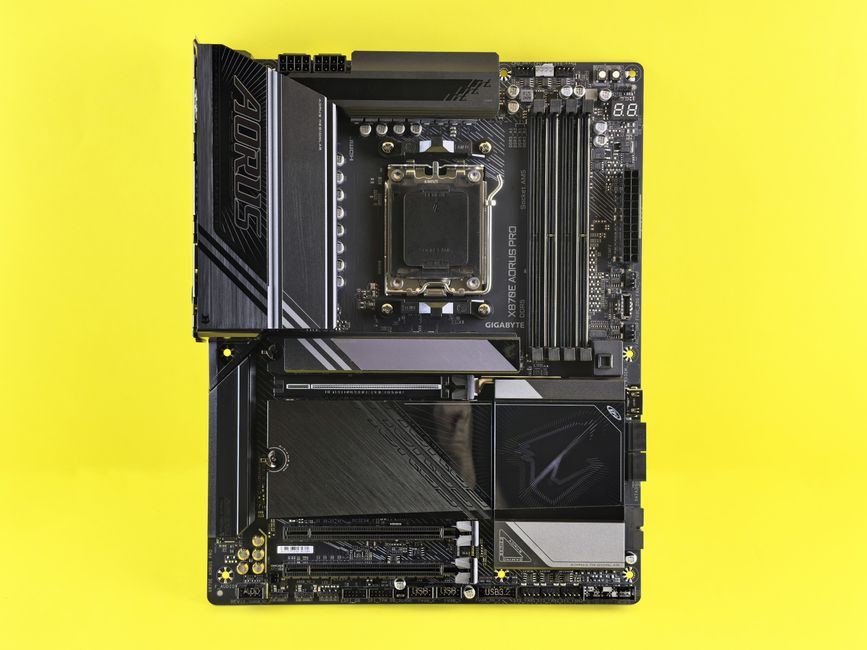
- Why: You don’t need a top-tier motherboard for a budget build. A reliable B-series chipset board will provide all the necessary features: PCIe 4.0 support for your GPU and NVMe SSD, sufficient USB ports, and decent VRMs (Voltage Regulator Modules) to handle your chosen CPU. Focus on a model from a reputable brand (ASUS, MSI, Gigabyte, ASRock) with good reviews.
Storage (SSD)
- Recommendation: 1TB NVMe M.2 SSD.
- Why: SSDs are non-negotiable for a modern gaming PC. NVMe drives are significantly faster than traditional SATA SSDs, leading to lightning-fast boot times, game loading, and overall system responsiveness. 1TB is a good starting point for a gaming library; prices for NVMe drives have become incredibly competitive, making them a clear winner over slower HDDs.
PSU (Power Supply Unit)
- Recommendation: 550W-650W 80 Plus Bronze certified from a reputable brand.
- Why: Never skimp on the PSU! A reliable power supply ensures stability, efficiency, and protects your components. A 550W-650W unit provides ample overhead for our recommended components, even allowing for minor upgrades down the line. Look for brands like Seasonic, Corsair, EVGA, or Cooler Master that offer 80 Plus Bronze or better certification for efficiency.
Case
- Recommendation: Affordable mid-tower with good airflow and cable management options.
- Why: Aesthetics are secondary to functionality here. Prioritize a case that allows for good airflow (front intake, rear/top exhaust) to keep your components cool, and offers decent space for cable management to maintain that airflow and a tidy interior. Brands like Montech, Deepcool, and Phanteks often have great budget options.
Smart Strategies for Your Affordable Gaming Rig
Building a budget gaming PC isn’t just about picking the right parts; it’s also about smart shopping and maximizing your savings.
- Hunt for Sales and Bundles: Major retail events (Black Friday, Prime Day, Cyber Monday) are prime times for discounts. Retailers like Micro Center often have excellent CPU/motherboard bundles that save significant money.
- Consider the Used Market (with Caution): Graphics cards and sometimes CPUs can be found at great prices on platforms like eBay or local marketplaces. Always buy from reputable sellers, ask for proof of functionality, and exercise caution.
- Patience is a Virtue: Sometimes, waiting a few weeks for a component’s price to drop or for a new generation to launch (which drives down older gen prices) can save you a substantial amount.
- DIY Assembly: Building the PC yourself saves on labor costs. There are countless tutorials online that make the process surprisingly straightforward.
- Operating System: You can download Windows 10/11 directly from Microsoft and use it unactivated with minor limitations, or purchase a legitimate key from authorized retailers. Linux distributions also offer growing gaming compatibility.
Software Optimization for Smooth Modern Gaming
Once your rig is built, don’t forget the software side! Keep your graphics drivers updated to the latest versions; these often include performance improvements for new games. Experiment with in-game graphics settings, starting with medium-to-high and adjusting down only if necessary to maintain your desired FPS. Close unnecessary background applications while gaming to free up resources. These small tweaks can make a noticeable difference in how smoothly your games run.
There you have it. The path to a powerful, yet budget-friendly
❓ Frequently Asked Questions
What is a realistic budget for a gaming PC that runs modern games?
A realistic budget for a gaming PC that runs modern games smoothly typically ranges from $600 to $1000, depending on desired settings and specific game requirements.
Which PC components are most crucial for a budget gaming build?
For a budget gaming build, prioritize a good CPU (e.g., AMD Ryzen 5 or Intel Core i5) and a capable GPU (e.g., NVIDIA GTX 1660 Super or AMD RX 6600). Don’t skimp on 16GB RAM and a fast SSD.
Can a budget gaming PC run AAA games smoothly?
Yes, a well-optimized budget gaming PC can run most AAA games smoothly at 1080p resolution, often on medium to high settings, achieving playable frame rates above 60 FPS.
How can I optimize my budget gaming PC for better performance?
Optimize your budget gaming PC by keeping drivers updated, managing background processes, adjusting in-game settings, ensuring proper cooling, and regularly cleaning out temporary files.



Leave a Reply