Microsoft Copilot New Features: Boosting Productivity & Efficiency
admin
3 weeks ago

The pace of innovation in artificial intelligence continues to reshape our digital workspaces, making previously complex tasks remarkably simple. Microsoft Copilot, a cornerstone of this evolution, is consistently rolling out significant updates that redefine what’s possible for everyday productivity. These latest Microsoft Copilot features are not just incremental improvements; they represent a fundamental shift in how we interact with our digital tools, promising unprecedented levels of efficiency and creativity.
📋 Table of Contents
As an AI researcher and software engineer, I’ve been closely tracking the development of AI productivity tools, and Copilot’s trajectory is particularly fascinating. What began as an intelligent assistant for coding has rapidly expanded to become an ubiquitous presence across the Microsoft ecosystem, transforming how millions of users work within Windows and Microsoft 365 applications. The recent Copilot updates are designed to make AI an even more seamless and indispensable partner in our daily workflows, pushing the boundaries of workplace efficiency.
Unpacking the Latest Microsoft Copilot Features
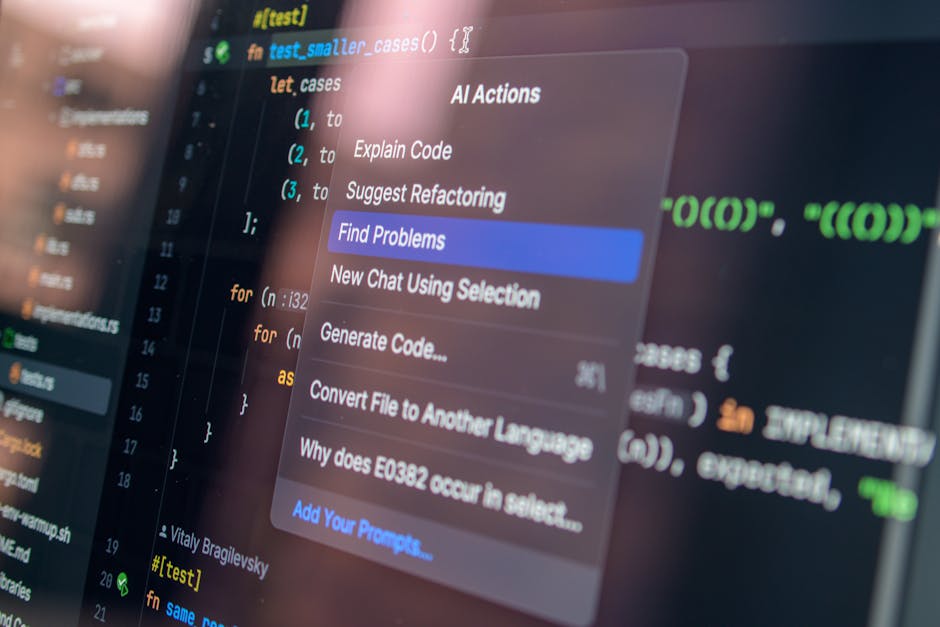
Microsoft’s commitment to infusing generative AI into every aspect of its software suite is evident in the rich array of new capabilities being rolled out. These enhancements empower users to accomplish more, faster, and with greater insight.
Copilot in Windows: Your OS-Level AI Assistant
One of the most impactful developments is Copilot’s deeper integration directly into Windows. No longer confined to specific applications, Copilot can now help you manage your operating system and beyond:
- System Control: Users can ask Copilot to change settings, launch applications, or even troubleshoot basic system issues using natural language prompts. Imagine simply asking Copilot to “turn on dark mode” or “open my last presentation.”
- Contextual Awareness: Copilot can now understand the context of what you’re doing across different applications. It can summarize web pages in Edge, provide insights from documents you’re viewing, or even help draft emails based on content from a separate window.
- Advanced Snipping Tool Integration: The Snipping Tool now benefits from AI, allowing you to ask Copilot to explain or analyze content within a screenshot, turning static images into interactive data points.
The implications for workplace efficiency are enormous. By centralizing assistance at the OS level, Copilot reduces the need to navigate complex menus or switch between multiple tools, streamlining common tasks and reducing cognitive load. This level of integration truly makes Copilot a digital co-pilot for your entire computing experience.
Enhanced Microsoft 365 Capabilities: Supercharging Your Apps
The core of Copilot’s productivity prowess lies within Microsoft 365 applications. Recent updates have made it even more powerful:
- Data Analysis in Excel: Copilot can now generate more sophisticated insights from your spreadsheets. Beyond basic summaries, it can identify trends, suggest formulas, and even create charts based on complex queries, significantly accelerating data interpretation for non-analysts.
- Dynamic Presentations in PowerPoint: From a simple prompt or an outline, Copilot can generate entire slide decks, suggest relevant images, and even refine your speaking notes. This dramatically cuts down the time spent on presentation creation, allowing users to focus on content quality.
- Smarter Email and Document Drafting: In Outlook and Word, Copilot can now tailor its writing style more effectively, generate multiple draft options, and even perform deeper research based on your document’s content, making communication and content creation faster and more professional.
- Multimodal Capabilities: The ability to interact with Copilot using both text and voice, and for it to generate not just text but also images (via DALL-E 3 integration), opens up new creative avenues directly within your productivity suite.
These Copilot updates are fundamentally changing how we interact with everyday software. They’re turning passive tools into active collaborators, augmenting human capabilities rather than simply automating tasks. This is where true AI productivity tools shine, by elevating the quality and speed of output across the board. (See also: Microsoft Copilot’s New Features: Boosting Your Productivity)
Custom Copilot GPTs and Plugins: Tailored AI for Business Needs
Perhaps one of the most exciting developments for organizations is the ability to create custom Copilot GPTs and integrate third-party plugins. This allows businesses to:
- Build Specialized Assistants: Companies can train Copilot on their proprietary data, internal documents, and specific workflows to create AI assistants tailored to their unique operational needs, such as HR policy navigators or customer support knowledge bases.
- Connect to Business Applications: Through plugins, Copilot can connect to CRM systems, project management tools, and other line-of-business applications, enabling it to pull and push information directly, creating a unified intelligent workspace.
This level of customization means that Copilot can become an even more strategic asset, moving beyond generic assistance to provide highly specialized support that drives specific business outcomes and enhances overall workplace efficiency. (See also: Samsung Galaxy Latest Release: Specs, Price & Availability Guide)
The Productivity Revolution: What Microsoft Copilot Features Mean for You
The cumulative effect of these new Microsoft Copilot features is nothing short of a productivity revolution. Here’s what it means for individuals and organizations:
- Time Savings: Automating repetitive tasks, accelerating content creation, and providing instant information retrieval frees up significant time, allowing employees to focus on higher-value, strategic work.
- Enhanced Creativity and Quality: By handling the mundane, Copilot empowers users to iterate faster, explore more ideas, and refine their output, leading to higher quality work across all domains.
- Democratization of Skills: Complex tasks like data analysis, graphic design, and professional writing become more accessible to a broader range of employees, effectively upskilling the workforce without extensive training programs.
- Improved Decision-Making: Quick access to summarized information and data insights supports faster, more informed decisions, reducing bottlenecks and accelerating project timelines.
- Greater Accessibility: Natural language interaction lowers the barrier to entry for complex software, making advanced features accessible to everyone, regardless of technical proficiency.
Of course, realizing these benefits requires a thoughtful approach. Effective prompt engineering, understanding Copilot’s capabilities and limitations, and maintaining human oversight remain crucial. However, the potential for transformative gains in workplace efficiency is undeniable.
Microsoft Copilot is evolving from a helpful tool into a fundamental shift in how we interact with technology. It’s a testament to the power of AI productivity tools to not just automate, but to truly augment human potential. These latest Copilot updates solidify its position as a leading force in reshaping the future of work, making our digital lives more intuitive, efficient, and ultimately, more productive.
❓ Frequently Asked Questions
What are the latest new features of Microsoft Copilot?
Microsoft Copilot continuously receives updates, including advanced data analysis, enhanced integration with M365 apps, and more personalized AI assistance for various tasks.
How will Copilot’s new features impact my daily productivity?
The new features aim to streamline workflows, automate repetitive tasks, provide smarter insights, and offer more intuitive content creation, significantly boosting individual and team productivity.
Are these new Microsoft Copilot features available now?
Availability can vary based on your Microsoft 365 subscription and region. Many features roll out gradually, so check your Copilot interface or Microsoft announcements for specifics.
What do the new Copilot features mean for the future of work?
These advancements signify a shift towards more AI-augmented work environments, where intelligent assistants like Copilot play a crucial role in enhancing human capabilities, fostering innovation, and transforming how we approach daily tasks.



Leave a Reply