Meta Quest 3 Update: New VR Features & Software Explained
admin
4 weeks ago
The world of virtual reality is always evolving, and nowhere is that more apparent than with Meta’s flagship standalone headset. Users are buzzing about the latest Meta Quest 3 Update, which promises to significantly enhance the VR experience for everyone. This isn’t just a minor patch; it’s a comprehensive refresh that injects new life into the Quest 3, pushing the boundaries of what’s possible in mixed reality and immersive interaction.
📋 Table of Contents
As your guide from AlkaTech, I’m here to break down exactly what this momentous Meta Quest 3 Update brings to the table, from groundbreaking visual enhancements to more intuitive controls and expanded capabilities. Get ready to dive deeper into your virtual worlds and interact with them in ways you never thought possible.
The Latest Meta Quest 3 Update: A Game Changer for Immersion
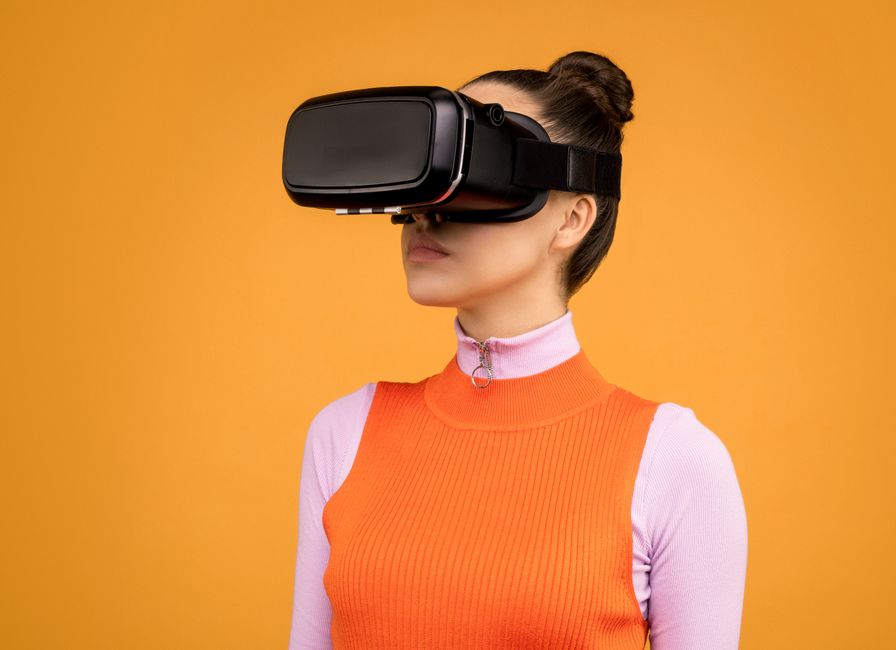
Meta has been relentless in its pursuit of VR perfection, and the latest software release for the Quest 3 is a testament to that commitment. This update focuses heavily on refining the core experiences that make the Quest 3 so compelling, while also introducing features that lay the groundwork for even more advanced VR and mixed reality applications. It’s about making your digital life feel more integrated with your physical one, seamlessly blending realities.
Sharper Passthrough and Enhanced Mixed Reality
One of the most immediate and impactful improvements from the latest Meta VR software is the dramatic upgrade to the Quest 3’s passthrough capabilities. Previously, while functional, the passthrough view could sometimes feel a little grainy or washed out. With this new update, the clarity, color accuracy, and depth perception of the passthrough video have been significantly enhanced. (See also: Google AI Updates Changing Search in 2025: What to Expect)
- Crystal-Clear Vision: Your real-world environment now appears sharper and more vibrant, making it far easier to read your phone, navigate your room, or interact with physical objects while immersed in a mixed reality experience.
- Improved Spatial Anchoring: Virtual objects now anchor to your physical space with greater precision and stability. This means fewer instances of digital content drifting or appearing disconnected from your real surroundings. Imagine placing a virtual monitor on your real desk, and it stays perfectly in place even when you walk around.
- Dynamic Occlusion: In some applications, the system can now intelligently understand when a real-world object should obscure a virtual one. This creates a much more convincing illusion, making virtual elements feel truly present in your physical space, rather than just overlaid.
These enhancements are crucial for mixed reality applications, allowing for more believable interactions where digital and physical elements coexist harmoniously. Whether you’re playing an MR game that projects aliens into your living room or using productivity tools that place virtual screens on your walls, the experience is now far more convincing and less jarring.
Precision Hand Tracking Goes Next-Level
Another area receiving a significant boost is hand tracking. While the Quest 3 already offered competent controller-free interaction, this update pushes the boundaries of natural input. The improved algorithms and tracking capabilities mean your hands are recognized with greater accuracy, responsiveness, and nuance. (See also: Microsoft Copilot’s New Features: Boosting Your Productivity)
- More Responsive Gestures: Navigating menus, typing on virtual keyboards, and interacting with virtual objects using just your hands feels smoother and more immediate. Latency has been reduced, making the connection between your physical hand movements and their virtual representation feel more direct.
- Enhanced Dexterity: The system can now distinguish between more subtle hand and finger movements, opening up possibilities for more intricate interactions in games and creative applications. Think about naturally picking up and manipulating small virtual objects with your fingers.
- Reduced Reliance on Controllers: For many casual experiences and navigation tasks, you might find yourself reaching for your controllers less often. This makes the Quest 3 feel more intuitive and accessible, especially for new users.
This leap in hand tracking precision is a critical step towards a truly controller-less future for VR, making interactions feel as natural as they do in the real world.
Elevating Your VR Experience with New Quest 3 VR Features
Beyond the core improvements, the latest Meta VR software introduces a suite of new Quest 3 VR features designed to enrich every aspect of your virtual journey, from gaming to social interaction and even productivity.
Performance Boosts and Smoother Gameplay
Under the hood, Meta engineers have been busy optimizing the Quest 3’s performance. This update includes fine-tuned CPU and GPU optimizations that translate directly into a more fluid user experience. You’ll notice:
- Faster Loading Times: Apps and games will launch and load content more quickly, reducing wait times and getting you into the action sooner.
- Smoother Frame Rates: Expect more consistent and higher frame rates across a broader range of applications, leading to a more comfortable and immersive experience, particularly in graphically intensive games.
- Improved System Stability: Overall system performance feels snappier and more reliable, with fewer hitches or slowdowns.
These enhancements ensure that your Quest 3 remains a powerful and responsive platform for the latest and greatest VR content.
Spatial Anchors and Persistent Virtual Objects
One of the most exciting Quest 3 enhancements for mixed reality enthusiasts is the introduction of more robust and persistent spatial anchors. Imagine decorating your living room with virtual art, placing a virtual pet in a corner, or leaving a digital note on your kitchen counter – and having these objects remain exactly where you left them, even after you take off your headset and return hours later.
This feature allows developers to create truly persistent mixed reality experiences, making your home a dynamic canvas for digital interaction. It blurs the line between your physical and virtual environments in a profoundly new way, making the metaverse feel less like a temporary visit and more like an extension of your daily life.
Social VR Gets an Upgrade: Connect and Create
Meta is keen on fostering social connections in VR, and this update brings several new Quest 3 VR features to Meta Horizon Worlds and other social applications:
- Enhanced Avatar Customization: Dive deeper into personalizing your digital identity with new options for clothing, accessories, and facial features, allowing for greater self-expression.
- Richer Social Environments: Developers now have more tools to create dynamic and interactive social spaces, leading to more engaging events, games, and hangouts.
- Improved Communication Tools: Expect clearer spatial audio and potentially new ways to interact and communicate with friends and strangers alike, making virtual gatherings feel more natural.
Productivity in the Metaverse: Work Smarter, Not Harder
The Quest 3 isn’t just for gaming; it’s a powerful tool for productivity. New Quest 3 enhancements focus on making it easier to get work done in VR:
- Multi-Window Support: Easily manage multiple virtual application windows simultaneously, arranging them around your physical space for an expansive, customizable workspace.
- Virtual Monitors: Connect to your PC and project multiple virtual monitors into your VR environment, effectively giving you an unlimited screen setup.
- Improved Keyboard and Desk Tracking: Better recognition of your physical keyboard and desk allows for more seamless integration when typing and working in mixed reality.
What This Meta VR Software Means for Everyday Users
For the everyday user, these Quest 3 enhancements mean a more fluid, immersive, and ultimately more enjoyable experience. Your Meta Quest 3 isn’t just a gadget; it’s a portal, and these updates make that portal wider, clearer, and more inviting. From sharper mixed reality to more intuitive hand tracking and robust performance, Meta is continuously refining its platform to deliver on the promise of an integrated digital future.
As always, keeping your device updated isn’t just about getting the latest features; it’s also about ensuring optimal performance and security. So, make sure your Quest 3 is connected to Wi-Fi and updated to the latest Meta VR software version to fully unlock these incredible new capabilities.
The Meta Quest 3 continues to evolve at a rapid pace, proving that VR is far from a niche technology. With each significant software update, Meta pushes us closer to a future where virtual and mixed realities are an indispensable part of our daily lives, transforming how we work, play, and connect. Get ready to explore new dimensions with your newly enhanced Quest 3 – the future is looking incredibly bright, and wonderfully immersive!
❓ Frequently Asked Questions
What’s new in the latest Meta Quest 3 software update?
The latest Meta Quest 3 software update introduces various new VR features, performance enhancements, and improved user experience functionalities, detailed in our article.
How do I update my Meta Quest 3 headset?
Your Meta Quest 3 usually updates automatically when connected to Wi-Fi. You can also manually check for updates in the headset’s settings menu under ‘Software Update’.
Are there new gaming features included in the update?
Updates often include gaming-specific features, performance boosts, and better integration with VR titles. The specifics depend on the particular software version released by Meta.
What are the most significant VR features in this update?
Key features frequently include enhanced passthrough, new mixed reality capabilities, improved hand tracking, and spatial audio upgrades, depending on the specific update’s focus.



Leave a Reply