Spot Phishing Emails: Protect Yourself from Online Scams Today
admin
4 weeks ago
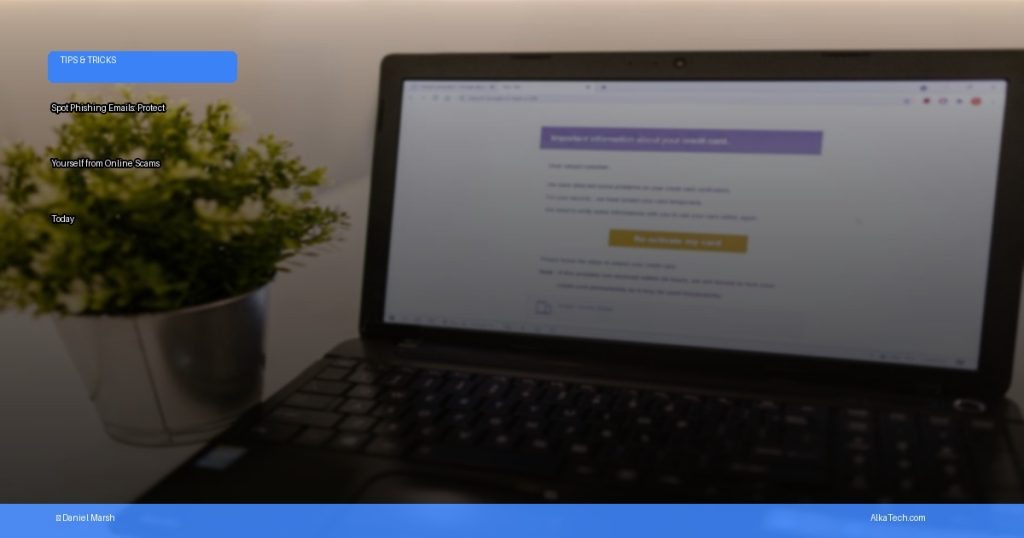
In today’s hyper-connected world, our inboxes are battlegrounds. Every day, countless digital threats lurk, but few are as pervasive and dangerous as phishing attempts. Learning how to spot phishing emails is no longer just a good idea; it’s a critical skill for safeguarding your digital life and financial well-being. At AlkaTech, we’re committed to arming you with the knowledge to navigate these treacherous waters. Let’s dive deep into the art of identifying these deceptive messages before they can do any harm.
📋 Table of Contents
Phishing is a type of online scam where cybercriminals attempt to trick you into revealing sensitive information – like passwords, credit card numbers, or bank account details – by masquerading as a trustworthy entity. They often pose as legitimate companies, government agencies, or even people you know. These scams exploit human psychology, leveraging urgency, fear, curiosity, or greed to bypass your critical thinking and prompt you into taking immediate, ill-advised action. Understanding their tactics is the first step in building a robust defense against them.
How to Spot Phishing Emails: Your Ultimate Guide

The good news is that most phishing emails share common characteristics, making them detectable if you know what to look for. Here are the red flags that should immediately trigger your suspicion:
1. Scrutinize the Sender’s Email Address
- Look-Alike Domains: Criminals often use email addresses that are very similar to legitimate ones, but with subtle differences. For example, “support@amaz0n.com” instead of “support@amazon.com” or “paypal-security@service-update.net” instead of “service@paypal.com”. Always check the full email address, not just the display name.
- Unusual Senders: If an email from a major bank or service provider comes from a generic Gmail, Outlook, or other free email service account, it’s almost certainly a scam.
2. Be Wary of Generic or Impersonal Greetings
- Legitimate organizations you have an account with will almost always address you by your name (e.g., “Dear Daniel Marsh”). Phishing emails frequently use generic greetings like “Dear Customer,” “Dear Valued User,” or “Dear Account Holder.”
- If an email claims to be from a service you use but doesn’t use your name, be suspicious.
3. Sense of Urgency, Threats, or Unbelievable Offers
- Threats: Phishing emails often create a false sense of urgency or fear. Phrases like “Your account will be suspended,” “Immediate action required,” “Unauthorized login attempt detected,” or “Failure to respond will result in account closure” are common. They want you to act without thinking.
- Unbelievable Offers: “You’ve won a lottery you didn’t enter!” or “Get a huge discount by clicking here now!” If an offer seems too good to be true, it almost certainly is.
4. Hover Over Links – Don’t Click!
- This is one of the most crucial steps to spot phishing emails. Before clicking any link, hover your mouse cursor over it (on desktop) or long-press it (on mobile, but be careful not to actually click). A small pop-up will usually reveal the actual URL the link points to.
- Mismatched URLs: If the displayed URL doesn’t match the hovering URL, or if the hovering URL looks suspicious (e.g., “tinyurl.com/xyz,” a string of random characters, or a domain unrelated to the supposed sender), do not click it.
- HTTPS vs. HTTP: While not a foolproof indicator, legitimate sites use HTTPS (secure connection). If a login page or sensitive data request uses HTTP, it’s a major red flag.
5. Look for Poor Grammar, Spelling, and Punctuation
- Many phishing emails, especially those originating from non-English speaking countries, contain noticeable grammatical errors, awkward phrasing, and misspelled words. While even legitimate companies can make typos, a pattern of such errors is a strong indicator of a scam.
6. Unexpected or Suspicious Attachments
- Never open an email attachment from an unknown sender or an unexpected attachment from a known sender. These attachments often contain malware, ransomware, or viruses that can infect your device and compromise your data.
- Common malicious attachment types include `.zip`, `.exe`, `.docm`, `.xlsm`, and `.js` files.
7. Requests for Personal Information
- Legitimate companies will *never* ask you to provide sensitive information like your password, credit card number, or social security number via email. If an email asks for this, it’s a scam.
- They might direct you to a website to “verify” your details, but it will be a fake website designed to steal your credentials.
Decoding the Deception: How to Spot Phishing Emails in Your Inbox
While the above tips are excellent for identifying email-based phishing, it’s important to remember that online scams extend beyond just your inbox. Cybercriminals are constantly evolving their methods, so staying informed about other common tactics is vital for comprehensive cybersecurity.
Beyond Emails: Other Online Scams to Watch Out For
- Smishing (SMS Phishing): Phishing attempts via text message. These often include links to fake websites or requests to call a fraudulent number.
- Vishing (Voice Phishing): Scammers call you directly, impersonating banks, tech support, or government agencies, trying to trick you into revealing information or granting remote access to your computer.
- Social Media Scams: Fake profiles, malicious links in direct messages, or “too good to be true” offers promoted through social media ads.
- Tech Support Scams: Pop-up warnings on your computer or phone calls claiming your device has a virus and prompting you to call a fake “support” number.
- Fake Shopping Websites: Websites designed to look like legitimate retailers, but either sell counterfeit goods, never deliver items, or simply steal your payment information.
What to Do If You Suspect a Phishing Attempt
- Do NOT Click: Do not click on any links, open attachments, or reply to the email.
- Delete: Delete the email from your inbox.
- Report: If it’s impersonating a known company, forward the email to their legitimate fraud department (you can usually find this on their official website). For government-related scams, report to relevant authorities.
- Verify Independently: If you’re unsure whether a message is legitimate, contact the company or organization directly using official contact information (from their website or a statement, not from the suspicious email itself).
Proactive Cybersecurity Tips for Robust Email Security
- Use Strong, Unique Passwords: Never reuse passwords across multiple accounts. Use a password manager to help create and store complex passwords.
- Enable Two-Factor Authentication (2FA): This adds an extra layer of security, requiring a second verification method (like a code from your phone) even if your password is stolen.
- Keep Software Updated: Regularly update your operating system, web browser, and security software. Updates often patch security vulnerabilities.
- Use Reputable Antivirus/Anti-Malware: Install and maintain a good security suite on all your devices.
- Backup Your Data: In case of a successful attack, having backups ensures you can restore your important files.
- Educate Yourself: Stay informed about the latest online scams and cybersecurity best practices.
The digital world can be a minefield of online scams, but with vigilance and a keen eye, you can significantly reduce your risk. Mastering how to spot phishing emails and other deceptive tactics is your first and best line of defense. Remember, cybercriminals prey on urgency and ignorance. Take a moment, scrutinize the details, and if something feels off, trust your gut. By empowering yourself with knowledge and practicing good cybersecurity habits, you can keep your personal information safe and enjoy a more secure online experience. Stay safe, stay smart, and keep your digital guard up! (See also: The Rise of AI Agents: What They Are & How They Work)
❓ Frequently Asked Questions
What is a phishing email?
A phishing email is a fraudulent message designed to trick recipients into revealing sensitive information (like passwords or credit card numbers) or installing malware by impersonating a trustworthy entity.
How can I identify a phishing email?
Look for red flags like suspicious sender addresses, generic greetings, urgent or threatening language, spelling/grammar errors, and unusual links or attachments. Always verify the sender and URL.
What should I do if I receive a suspicious email?
Do not click on any links, open attachments, or reply to the email. Mark it as spam or junk, then delete it. If it seems to be from a known company, contact them directly through official channels.
How do I report a phishing scam?
You can report phishing emails by forwarding them to reportphishing@apwg.org. If it impersonates a specific company, notify their customer support or security team directly.


Leave a Reply