Best Tablets for Creative Professionals & Digital Artists
admin
1 month ago

In the evolving landscape of digital creativity, the right tool can be the difference between a good idea and a masterpiece. For artists, illustrators, graphic designers, and other visual professionals, finding the best tablets for artists is paramount. Today, we’re diving deep into the market to identify the leading contenders that empower your artistic vision, ensuring you find the perfect digital canvas for your next project.
📋 Table of Contents
The quest for the ultimate creative companion often feels overwhelming, with a myriad of options promising unparalleled performance. From the vibrant displays that bring your colors to life to the precision styluses that capture every nuance of your stroke, the demands of professional artists are specific and high. At AlkaTech, we’ve put these devices through their paces, evaluating everything from screen quality and pen latency to raw processing power and software compatibility, all to help you pinpoint the best tablets for artists in 2024.
What to Look For in a Creative Tablet
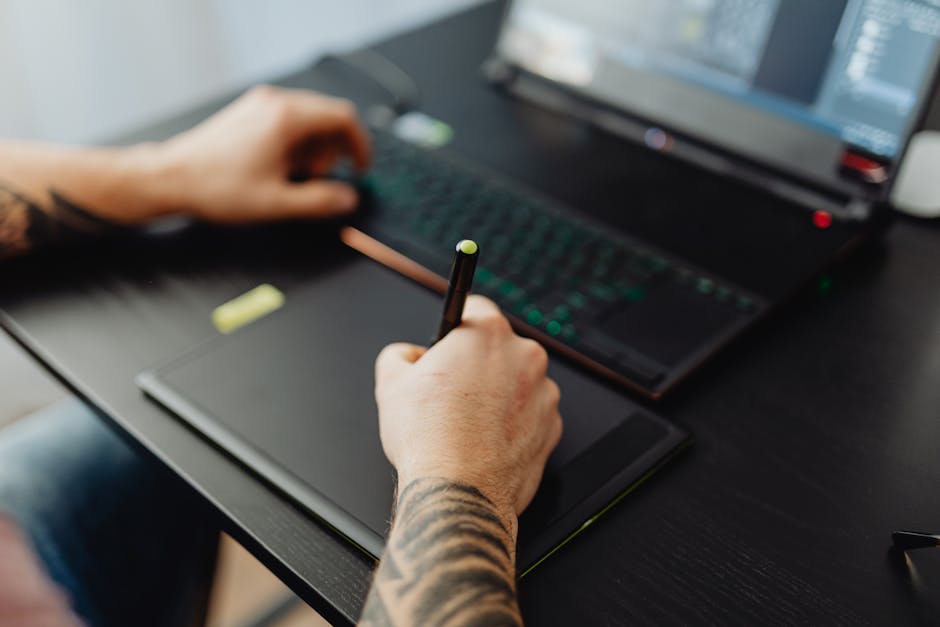
Before we jump into our top picks, let’s establish the key criteria that make a tablet truly suitable for creative professionals and digital artists:
- Display Quality: A high-resolution, color-accurate screen (preferably with good sRGB/DCI-P3 coverage) is crucial for seeing your work as intended. Anti-glare finishes and laminated displays also enhance the drawing experience.
- Stylus Performance: This is arguably the most critical component. Look for excellent pressure sensitivity (thousands of levels), tilt support, low latency, and a comfortable grip. Some styluses offer customizable buttons.
- Processing Power: Smooth performance in demanding creative applications (like Procreate, Photoshop, Clip Studio Paint) requires a powerful CPU and ample RAM.
- Operating System & Software Ecosystem: Apple’s iPadOS, Samsung’s Android (with DeX), and Microsoft’s Windows each offer unique advantages and access to different software libraries. Consider what applications you rely on.
- Portability & Battery Life: For artists on the go, a lightweight design and all-day battery life are essential.
- Connectivity & Storage: Sufficient internal storage, expandable options (microSD), and versatile ports (USB-C, Thunderbolt) for accessories and external drives.
Our Top Picks: The Best Tablets for Artists in 2024
1. Apple iPad Pro (M-series)
The undisputed king for many digital artists, the Apple iPad Pro, especially with the M-series chips (M2, M4), offers an unparalleled blend of hardware and software. Its Liquid Retina XDR (mini-LED) display on the 12.9-inch model is stunningly vibrant and accurate, perfect for color-critical work. The Apple Pencil (2nd Gen or USB-C) provides industry-leading low latency, tilt, and pressure sensitivity, making drawing feel incredibly natural. Paired with apps like Procreate, Affinity Photo, and Clip Studio Paint, the iPad Pro is a powerhouse for illustration, painting, and graphic design. Its performance is desktop-class, handling complex layers and high-resolution canvases with ease. While the accessories (Pencil, Magic Keyboard) add to the cost, the overall experience justifies the investment for many professionals.
- Pros: Stunning display, unmatched Apple Pencil experience, incredible performance, vast app ecosystem (Procreate is a game-changer), excellent build quality.
- Cons: High price point, accessories sold separately, iPadOS is still somewhat limited compared to full desktop OS for certain workflows.
2. Samsung Galaxy Tab S9 Ultra / S9+
For Android enthusiasts and those seeking a versatile Windows-like experience, the Samsung Galaxy Tab S9 series stands tall. The Tab S9 Ultra, with its massive 14.6-inch Dynamic AMOLED 2X display, provides an expansive canvas that truly immerses you in your work. All models in the S9 series come with the excellent S Pen included, offering great pressure sensitivity and low latency. Samsung’s DeX mode transforms the tablet into a desktop-like interface, allowing for better multitasking and compatibility with a wider range of apps, including Android versions of popular creative software. The AMOLED display delivers incredible contrast and vibrant colors, making it one of the best tablets for drawing and viewing your art.
- Pros: Included S Pen, gorgeous AMOLED display, DeX mode for desktop-like multitasking, excellent performance, often more affordable than iPad Pro.
- Cons: Android app ecosystem for pro tools is still maturing compared to iPadOS, large size might not be for everyone.
3. Microsoft Surface Pro 10 / Surface Pro 9
If you need the full power and flexibility of Windows in a tablet form factor, the Microsoft Surface Pro line is your go-to. Running full Windows 11, these devices allow you to install and run desktop-grade applications like Adobe Photoshop, Illustrator, Clip Studio Paint, and ZBrush without compromise. The Surface Slim Pen 2 offers haptic feedback, excellent pressure sensitivity, and feels great on the responsive PixelSense display. The integrated kickstand is a standout feature for adjusting angles, and the ability to attach a Type Cover keyboard (sold separately) turns it into a capable laptop. The Intel Core Ultra processors in the Pro 10 ensure robust performance for demanding creative tasks, making it a true hybrid solution for graphic design tablets. (See also: Best Ultrabooks for Professionals: Thin, Light & Powerful Picks)
- Pros: Full Windows OS for desktop apps, versatile kickstand, excellent pen experience, strong performance, acts as a laptop replacement.
- Cons: Accessories (keyboard, pen) are extra, can be heavier than other tablets, battery life can vary with intensive use.
4. Wacom MobileStudio Pro 16
When precision and professional Wacom pen technology are your absolute top priorities, the Wacom MobileStudio Pro 16 is designed specifically for you. This device integrates Wacom’s renowned pen display technology into a portable Windows tablet. The 4K display offers stunning detail and color accuracy, and the Wacom Pro Pen 2 delivers 8192 levels of pressure sensitivity, tilt recognition, and virtually no lag, making it the gold standard for many traditional digital artists. While it’s a niche product with a higher price tag and larger form factor, its focus on delivering an uncompromised drawing experience for desktop applications like ZBrush, Maya, and Photoshop is unmatched by consumer tablets.
- Pros: Best-in-class Wacom pen technology, highly color-accurate 4K display, runs full Windows, dedicated ExpressKeys and customizable controls.
- Cons: Very expensive, heavier and bulkier, older models might have dated processors compared to newer consumer tablets.
5. Huion Kamvas Studio 16 / 24
For artists seeking a more budget-friendly yet highly capable option, Huion has emerged as a strong contender. The Kamvas Studio line offers dedicated pen display tablets that run full Windows, similar to the MobileStudio Pro but often at a more accessible price point. The Kamvas Studio 16 features a 2.5K QLED display that delivers vibrant colors and a great drawing surface, combined with Huion’s PenTech 3.0+ for excellent pressure sensitivity and tilt. It’s a fantastic choice for students or professionals who need a dedicated drawing tablet that can run professional Windows software without breaking the bank. The larger Kamvas Studio 24 offers an even more expansive canvas.
- Pros: Excellent value, good display quality, responsive pen technology, runs full Windows, includes stand and customizable keys.
- Cons: Build quality not as premium as Apple/Samsung/Microsoft, performance might not match the very top-tier devices, less brand recognition.
Choosing the Best Tablets for Artists: Your Workflow Matters
Ultimately, the best tablets for artists isn’t a one-size-fits-all answer; it depends heavily on your specific needs, preferred operating system, and budget. If you’re deeply entrenched in the Apple ecosystem and prioritize the best mobile drawing experience with Procreate, the iPad Pro is an easy choice. If you need full desktop applications and the versatility of Windows, a Surface Pro or Wacom MobileStudio Pro is ideal. For those who prefer Android and want a large, beautiful display with an included pen, the Galaxy Tab S9 series delivers. And if value is paramount without sacrificing Windows functionality, Huion offers compelling graphic design tablets.
Consider your primary creative applications, your budget for both the tablet and its essential accessories, and how much portability you truly need. Each of these tablets offers a powerful platform for unleashing your creativity, but by aligning their strengths with your specific workflow, you’ll make the perfect investment in your artistic future. (See also: Flagship Smartphone Camera Comparison: Which Takes Best Photos?)
❓ Frequently Asked Questions
What key features should I look for in a tablet for digital art?
Prioritize high-resolution displays, pressure-sensitive pens, powerful processors, ample RAM, and good battery life for a seamless creative experience.
Are iPads the only viable option for creative professionals?
While iPads are popular, Android tablets (e.g., Samsung Galaxy Tab) and Windows tablets (e.g., Microsoft Surface) also offer excellent options with robust software and hardware for artists.
How much should I expect to spend on a professional creative tablet?
Professional-grade tablets typically range from $600 to over $2000, depending on brand, specifications, and included accessories like stylus and keyboard.
Can I use any drawing software on these recommended tablets?
Most modern creative tablets support a wide range of popular drawing and design software like Procreate (iPad), Clip Studio Paint, Adobe Fresco, and Photoshop, though compatibility may vary by OS.



Leave a Reply