Best Mechanical Keyboards for Programmers & Power Users 2025
admin
2 months ago
As a tech journalist and a self-confessed hardware nerd, I’ve spent countless hours with my hands on every type of keyboard imaginable. For programmers and power users, the difference a quality input device makes isn’t just marginal – it’s transformative. That’s why I’m here to talk about the best mechanical keyboards for those who demand precision, comfort, and durability in their daily grind. In 2025, the market is more vibrant and competitive than ever, offering incredible tools that elevate your workflow. (See also: 10 Breakthrough Tech Drops That Stole the Spotlight Last Month)
📋 Table of Contents
The quest for the best mechanical keyboards for coding, intense data entry, or sophisticated multi-application workflows isn’t just about aesthetics; it’s about investing in a critical tool. A great mechanical keyboard can reduce fatigue, improve typing speed and accuracy, and even inject a bit of joy into your work. Forget the mushy membrane boards; we’re talking about devices built to withstand millions of keystrokes while delivering satisfying tactile or linear feedback.
Why Mechanical Keyboards are Indispensable for Programmers and Power Users
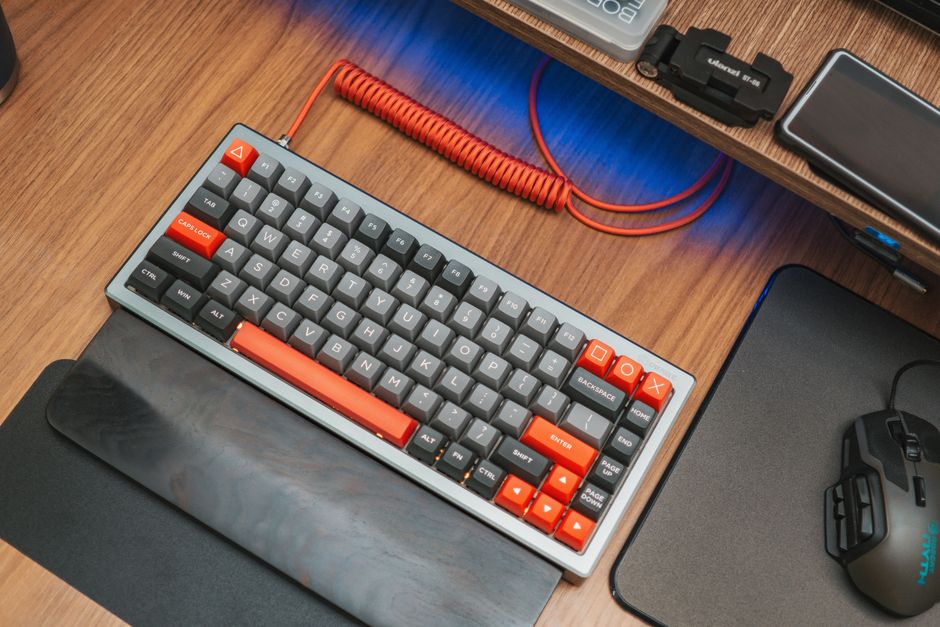
The appeal of mechanical keyboards stems from their individual switches beneath each keycap, offering a distinct advantage over rubber dome alternatives. This design provides superior tactile feedback, audible clicks, or smooth linear travel, depending on the switch type. For programmers, this means better recognition of key presses, leading to fewer errors and a more confident typing experience. For power users, the robust build quality and advanced customization options (macros, key remapping) are game-changers for efficiency.
Key Considerations When Choosing Your Next Mechanical Keyboard
- Switch Type: This is arguably the most critical decision.
- Tactile (e.g., Cherry MX Brown, Gateron Brown, Holy Panda): Offers a bump mid-press, signaling actuation without a loud click. Excellent for typing accuracy, making them a favorite for programmers.
- Linear (e.g., Cherry MX Red, Gateron Yellow, Kailh Speed Silver): Smooth, consistent travel from top to bottom. Preferred by some for rapid-fire input and quieter operation, though they can be prone to accidental presses if you’re not used to them.
- Clicky (e.g., Cherry MX Blue, Gateron Blue): Provides both a tactile bump and an audible click. Satisfying for some, but often too loud for shared workspaces.
- Layout:
- Full-Size (104/108 keys): Includes a numpad, ideal for data entry and financial work.
- Tenkeyless (TKL – 87/88 keys): Omits the numpad, saving desk space and improving ergonomics by allowing your mouse to be closer. A popular choice for programmers.
- Compact (75%, 65%, 60%): Further reduces size, often requiring function layers for less-used keys. Great for minimalist setups but can have a learning curve.
- Build Quality & Materials: Look for sturdy cases (aluminum, high-grade plastic), hot-swappable sockets (for easy switch changes), and quality keycaps (PBT is generally preferred over ABS for durability and resistance to shine).
- Connectivity: Wired (most reliable), wireless (Bluetooth, 2.4GHz for convenience), or multi-device options are essential for modern setups.
- Software & Customization: QMK/VIA compatibility, proprietary software for macros, key remapping, and RGB lighting can significantly enhance productivity.
- Ergonomics: Adjustable feet, wrist rests, and sometimes even split designs are crucial for long coding sessions.
The Best Mechanical Keyboards for Programmers and Power Users in 2025: Our Top Picks
Keychron Q-Series Pro (e.g., Q1 Pro, Q2 Pro, Q3 Pro)
Keychron has become synonymous with quality and customization in the mechanical keyboard world, and their Q-Series Pro models are absolute workhorses for professionals. These keyboards feature a full CNC machined aluminum body, gasket mount design for a softer typing feel, and come hot-swappable with various switch options (Gateron G Pro 3.0). What truly sets them apart for programmers and power users is their full QMK/VIA compatibility. This open-source firmware allows for deep, intuitive customization of every key, macro, and layer – perfect for complex coding shortcuts or intricate workflows. The “Pro” versions also add wireless (Bluetooth) connectivity, making them incredibly versatile for both desktop and mobile setups. Expect these to remain a gold standard well into 2025.
- Pros: Premium build quality, QMK/VIA for unparalleled customization, gasket mount comfort, hot-swappable, wired and wireless options.
- Cons: Heavier due to aluminum construction, higher price point.
Logitech MX Mechanical (Full-size & Mini)
Logitech’s MX Mechanical line bridges the gap between enthusiast-grade mechanical keyboards and professional office aesthetics. Designed with productivity in mind, these keyboards offer low-profile mechanical switches (Tactile Quiet, Linear, Clicky) which provide a satisfying mechanical feel in a sleeker, more ergonomic package. The multi-device Bluetooth connectivity (up to 3 devices) and 2.4GHz wireless dongle make switching between your PC, laptop, and tablet seamless. Smart backlighting adjusts to ambient light, and the robust build quality ensures longevity. While not as customizable as QMK/VIA boards, Logitech’s Options+ software offers intuitive macro creation and key remapping for specific applications, a huge win for power users. It’s a refined, reliable choice that feels premium without being overly flashy.
- Pros: Excellent multi-device connectivity, low-profile mechanical switches, smart backlighting, professional aesthetic, great software integration.
- Cons: Not hot-swappable, limited switch options compared to enthusiast boards, proprietary keycaps.
Wooting 60HE / 80HE
For the ultimate power user who values speed and precision above all else, the Wooting 60HE (and its forthcoming 80HE successor) stands in a league of its own. While often lauded by gamers for its rapid trigger and analog input capabilities, these features translate incredibly well to productivity. Rapid trigger allows for instant actuation and de-actuation of keys, which can significantly speed up repetitive tasks or precise cursor movements. The software (Lekker Utility) is incredibly powerful, offering per-key actuation point adjustment, multiple “layers” for complex macros, and DKS (Dynamic Keybinding System) for different actions based on how far you press a key. It’s an investment, but for those who want to push the boundaries of keyboard input, the Wooting offers an experience unlike any other, perfect for ultra-efficient command execution.
- Pros: Unparalleled speed and precision (rapid trigger, analog input), highly customizable via powerful software, robust build.
- Cons: Niche features might be overkill for some, higher price, 60% layout requires familiarity with function layers.
Razer BlackWidow V4 Pro
Razer’s BlackWidow V4 Pro brings a comprehensive feature set perfect for power users who might also dabble in gaming or streaming. It boasts dedicated macro keys, a multi-function roller, and media controls – all highly programmable via Razer Synapse. Available with Razer’s own mechanical switches (Green Clicky, Yellow Linear), it offers a satisfying typing experience, backed by a robust build and vibrant RGB lighting. Its high polling rate ensures minimal input lag, and the included magnetic plush leatherette wrist rest significantly enhances comfort during extended sessions. For those who want a full-featured board that can handle everything from coding to content creation with ease, the BlackWidow V4 Pro is an excellent, feature-rich choice. (See also: Best Gaming Monitors Under $300 for Competitive Play in 2024)
- Pros: Dedicated macro keys, multi-function roller, comfortable wrist rest, high polling rate, extensive software customization.
- Cons: Razer Synapse can be resource-intensive, specific aesthetic might not appeal to everyone, not hot-swappable.
Looking Ahead to 2025: What’s Next for Mechanical Keyboards?
As we move further into 2025, expect to see continued innovation. More mainstream adoption of gasket mount designs, advanced rapid trigger technology from various manufacturers, and increasingly sophisticated wireless capabilities (longer battery life, lower latency, multi-device memory) are on the horizon. We’ll also likely see a greater emphasis on sustainable materials and modular designs, allowing for easier repairs and upgrades, extending the lifespan of these valuable tools. The future is bright for mechanical keyboards!
Conclusion
Choosing the right mechanical keyboard is a personal journey, but for programmers and power users, it’s an investment that pays dividends in comfort, efficiency, and sheer typing pleasure. Whether you prioritize deep customization with QMK/VIA, professional aesthetics and multi-device prowess, or cutting-edge input speed, there’s a perfect board out there for you. Don’t settle for less; elevate your daily computing experience with one of these phenomenal mechanical keyboards. Your fingers – and your productivity – will
❓ Frequently Asked Questions
Why choose a mechanical keyboard for programming?
Mechanical keyboards offer superior tactile feedback, durability, and customization, enhancing typing speed and reducing fatigue for long coding sessions.
What switch types are best for programmers?
Linear switches (like Cherry MX Red) are smooth for quick repeated presses, while tactile (like MX Brown) provide a distinct bump for feedback without being too loud.
Are wireless mechanical keyboards good for power users?
Yes, modern wireless mechanical keyboards offer reliable low-latency connections, making them suitable for power users who value a clean, cable-free desk setup.
How important is keyboard layout for programmers?
Layout is crucial. Many programmers prefer full-size or TKL for dedicated function rows and navigation keys, while some opt for compact layouts for desk space and ergonomics.



Leave a Reply