Best SSDs for Gaming & Creative Workloads: Speed vs Price Guide
admin
2 months ago

The dreaded loading screen: a pixelated purgatory that every gamer and creative professional knows all too well. For years, the spinning platters of traditional hard drives dictated our digital pace. But with the advent of Solid State Drives (SSDs), that bottleneck has largely been obliterated. Yet, choosing the right SSD today isn’t as simple as just picking the fastest. For those seeking the best gaming SSDs or robust storage for demanding creative workloads, balancing raw speed against real-world performance and, crucially, price, is a nuanced art.
📋 Table of Contents
As a tech journalist with a decade covering Silicon Valley, I’ve seen SSD technology evolve from niche enthusiast hardware to mainstream necessity. The question isn’t whether you need an SSD, but which one. This guide will cut through the marketing jargon to help you navigate the landscape of NVMe generations, controller technologies, and flash types, ensuring your next upgrade delivers maximum impact without breaking the bank.
Understanding the Speed vs. Price Equation
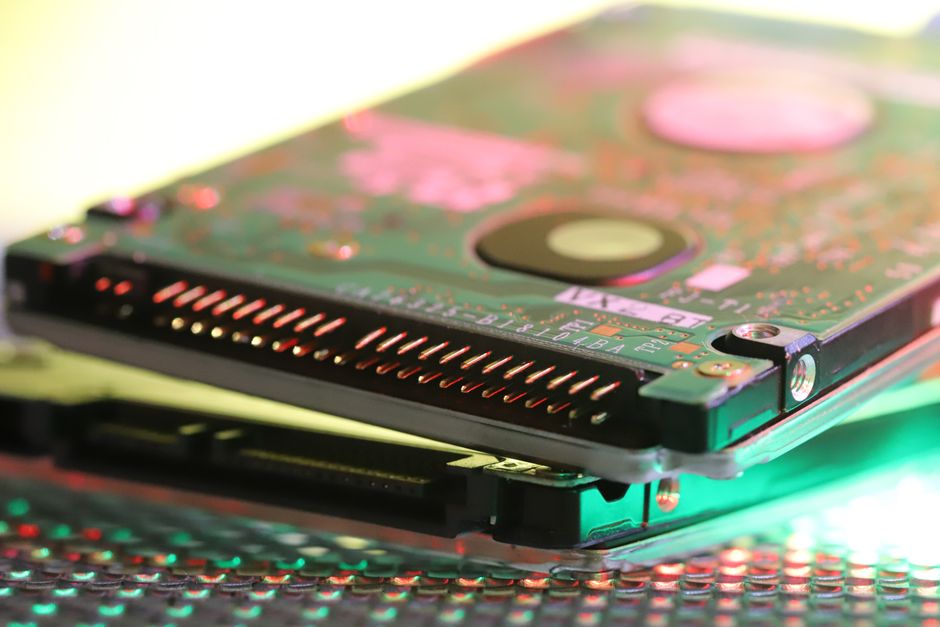
At its core, an SSD upgrade aims to reduce latency and increase data transfer rates. For gamers, this means faster game loads, smoother texture streaming, and quicker level transitions. For creative professionals working with massive 4K or 8K video files, complex 3D models, or large photo libraries, superior NVMe SSD speed translates directly into reduced rendering times, quicker file transfers, and more fluid editing workflows. However, not all SSDs are created equal, and the performance curve can vary wildly with price. (See also: Master the Game: Best Gaming Monitors Under $300 for Competitive Play)
The market is primarily dominated by NVMe (Non-Volatile Memory Express) SSDs, which connect directly to your motherboard via a PCIe slot, offering significantly higher speeds than older SATA SSDs. These NVMe drives come in different generations: PCIe Gen3, Gen4, and the latest Gen5. Each generation theoretically doubles the bandwidth of its predecessor, pushing sequential read/write speeds into the multi-gigabyte-per-second realm. But does that theoretical speed always translate to real-world benefits, especially when the price tag jumps with each new generation?
PCIe Generations: Decoding the Numbers
- PCIe Gen3 NVMe: Still a solid performer for budget builds or as secondary storage. Offers speeds up to around 3,500 MB/s. Excellent SSD price performance.
- PCIe Gen4 NVMe: The current sweet spot for most users. Speeds typically range from 5,000 MB/s to over 7,000 MB/s. Offers a significant jump over Gen3, noticeable in many applications, and becoming increasingly affordable.
- PCIe Gen5 NVMe: The bleeding edge. Capable of speeds exceeding 10,000 MB/s, with some drives pushing past 14,000 MB/s. While incredibly fast, these drives require compatible motherboards and CPUs, run hotter (often needing substantial heatsinks), and come with a premium price tag. The real-world performance difference over Gen4 is often minimal in current applications, but they offer significant future-proofing.
The Best Gaming SSDs: Finding the Sweet Spot
When it comes to gaming, the impact of an SSD often hinges on two main factors: sequential read speeds (for loading game assets) and random IOPS (Input/Output Operations Per Second, for handling small, scattered game files). While PCIe Gen5 drives offer the highest theoretical bandwidth, current game engines are rarely optimized to fully utilize such extreme speeds. Most modern games still see diminishing returns beyond high-end Gen4 speeds.
For the majority of gamers, a high-quality PCIe Gen4 NVMe SSD represents the ideal balance of performance and value. Drives like the WD Black SN850X, Samsung 990 Pro, or Crucial P5 Plus offer sequential read speeds well over 6,000 MB/s and excellent random performance, which significantly reduces loading times in even the most demanding titles. These drives strike a perfect balance, providing a noticeable upgrade over Gen3 without the significant price premium and thermal demands of Gen5.
If you’re on a tighter budget, a top-tier PCIe Gen3 NVMe drive can still provide a fantastic gaming experience, especially if you’re upgrading from a SATA SSD or HDD. The difference between a high-end Gen3 and a mid-range Gen4 in actual game loading times might only be a few seconds, which many gamers might find acceptable given the cost savings.
SSDs for Creative Work: Endurance and Sustained Performance
Creative professionals, particularly those dealing with large media files, have different priorities. While high sequential read speeds are great for playback, sustained write performance and endurance (measured in TBW – Terabytes Written) become paramount. Editing 4K or 8K video, rendering complex 3D scenes, or compiling large codebases involves constant, heavy writing to the drive, often with large contiguous files. For these workloads, a drive’s ability to maintain high speeds without throttling is crucial.
For professional content creation, PCIe Gen4 NVMe SSDs are highly recommended. Drives with robust controllers, high-quality TLC (Triple-Level Cell) or MLC (Multi-Level Cell) NAND flash, and a dedicated DRAM cache are essential for maintaining consistent performance under heavy load. The Samsung 990 Pro, WD Black SN850X, and Crucial T500 (Gen4) are excellent choices, offering not only high speeds but also impressive endurance ratings that ensure longevity under demanding professional use.
For those at the absolute cutting edge, especially working with uncompressed 8K footage or massive datasets, PCIe Gen5 drives can start to show their true potential in specific scenarios. Their colossal bandwidth can significantly speed up file transfers between Gen5 drives or when working with specialized hardware that can fully utilize such speeds. However, for most creative workflows today, a top-tier Gen4 drive still offers exceptional performance for a more sensible investment. (See also: AlkaTech StellarBook 14: The Best Laptop for Students, Reviewed)
SSD Price Performance: Where to Invest Your Dollars
The beauty of the current SSD market is the incredible value available across all segments. For mainstream users and most gamers, a 1TB or 2TB PCIe Gen4 NVMe SSD is the sweet spot. You get phenomenal performance that feels incredibly snappy, without paying the early adopter tax of Gen5. Prices on these drives have become very competitive, making them an easy recommendation for primary system drives.
For secondary storage, or for those building on a strict budget, PCIe Gen3 NVMe drives offer incredible SSD price performance. They are still many times faster than SATA SSDs and HDDs, and perfectly capable of running an OS and many games without feeling slow. Look for drives from reputable brands like Kingston, Crucial, or Western Digital that consistently offer good value.
When considering capacity, always aim for more than you think you need. Games are growing in size, and creative projects quickly consume vast amounts of storage. A 500GB drive might seem sufficient initially, but you’ll likely run into limitations sooner rather than later. 1TB is a good minimum, with 2TB or even 4TB becoming increasingly popular for power users.
Conclusion: Your Digital Speed Advantage
Whether you’re battling online foes or rendering your next masterpiece, the right SSD is a foundational component of a responsive and efficient system. While the allure of the absolute fastest PCIe Gen5 drives is undeniable, for most users and current applications, the sweet spot for the best gaming SSDs and robust creative workstations lies firmly within the high-end PCIe Gen4 NVMe segment. These drives deliver a significant performance uplift that’s genuinely noticeable, at a price point that makes sense.
My advice remains consistent: prioritize a reputable brand, consider your specific workload (gaming vs. creative, or both), and assess your budget. Don’t chase specs you won’t utilize. Instead, invest in a drive that offers a strong balance of sustained speed, reliability, and endurance for your needs. With the right SSD, those dreaded loading screens will become a distant memory, replaced by seamless, high-speed digital experiences.
❓ Frequently Asked Questions
What’s the difference between NVMe and SATA SSDs?
NVMe SSDs offer significantly faster speeds than SATA SSDs, connecting directly to the PCIe bus for higher bandwidth, making them ideal for demanding tasks like video editing and competitive gaming.
How much SSD storage do I need for gaming?
For gaming, 1TB is a good starting point, allowing space for the OS, several large games, and applications. Creative professionals often benefit from 2TB or more for project files and assets.
Is a more expensive SSD always better for gaming?
Not necessarily. While high-end SSDs offer top speeds, the real-world gaming performance difference beyond a certain point is often negligible. Focus on a good balance of speed and capacity for your budget.
Can I use an SSD for both gaming and creative work?
Absolutely. Many high-performance NVMe SSDs excel at both, providing fast load times for games and quick file transfers/processing for creative applications like video editing and 3D rendering.



Leave a Reply